If you’re wondering “what specs do I need for new releases in 2026”, you’re really asking a more important question: Can my PC still handle modern AAA games without constant lag, stutter, or low FPS?
If you’re trying to compare real game performance and whether your system can handle modern releases, you may also want to check Can My PC Run GTA 6? System Requirements & FPS, Will GTA 6 Run on RTX 3060? FPS, Settings & Performance Guide, and The Ultimate Gaming Guide Hub for broader FPS optimization and hardware breakdowns.
2026 is shaping up to be a major turning point for gaming hardware. New engines, heavier ray tracing usage, and rising VRAM demands mean that older “recommended specs” from just a few years ago are no longer reliable.
This guide breaks down everything you need—from minimum FPS expectations to GPU/CPU recommendations and budget builds—so you can confidently decide whether to upgrade, build, or wait.
What New Games Are Releasing in 2026 — And Why Specs Matter More Than Ever
Most Anticipated 2026 PC Game Releases
While exact release calendars may shift, 2026 is expected to include a wave of AAA titles built on next-gen engines. These games are designed with:
- Advanced open-world systems
- Heavy ray tracing integration
- Real-time global illumination
- AI-driven NPC behavior systems
The key takeaway: baseline system requirements are rising faster than hardware upgrade cycles.
How 2026 Game Engines Are Pushing Hardware Demands
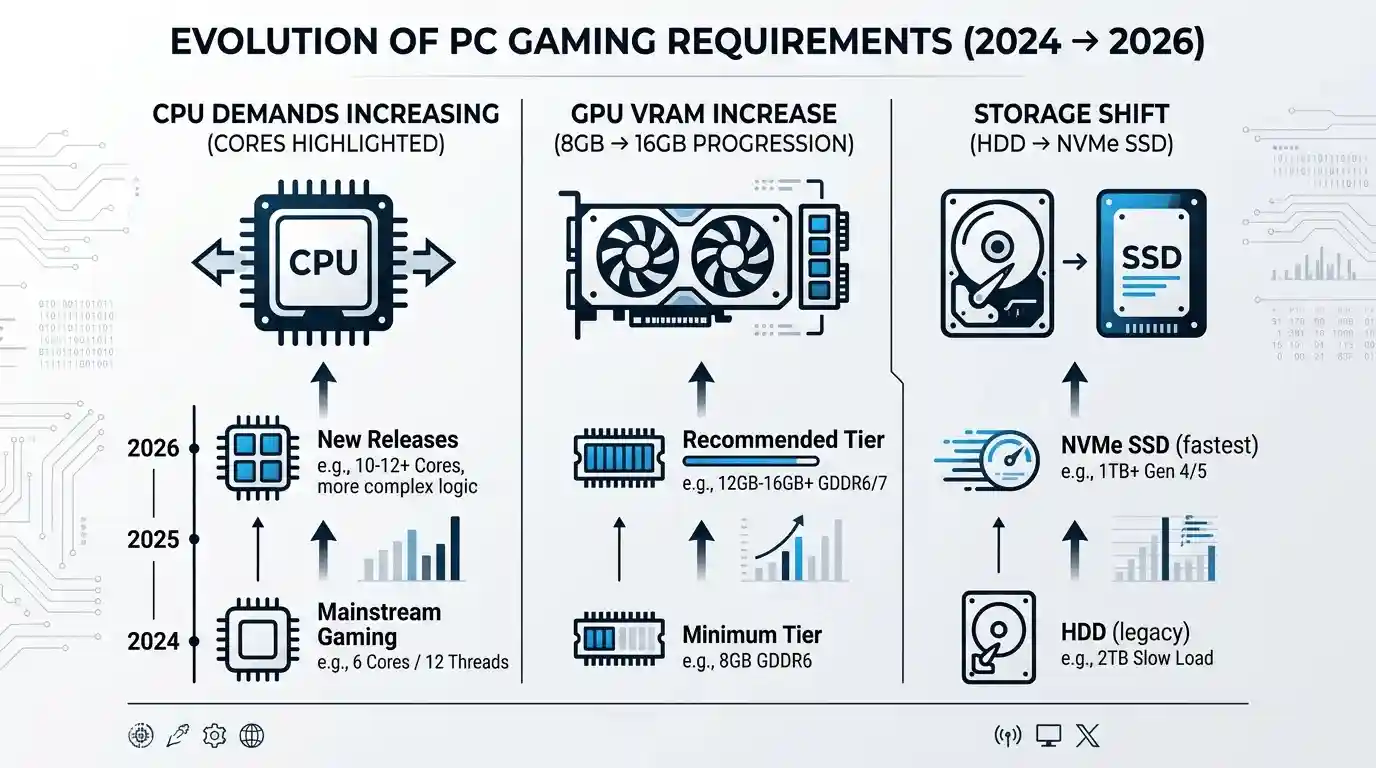
Modern engines like Unreal Engine 5.x and proprietary AAA engines are pushing performance limits in three major ways:
- VRAM pressure is increasing → 8GB GPUs struggle with high textures
- CPU thread usage is rising → 6 cores is now minimum, not ideal
- Storage speed matters more → NVMe SSDs are becoming mandatory
Games are no longer just GPU-bound—they are becoming balanced system stress tests.
These rising performance demands are also reflected in real-world testing covered in Cyberpunk 2077 Settings for Low End PC (Best FPS Guide), Metaphor: ReFantazio Review (2025) – Is It Worth It?, and SSD vs HDD for Gaming: Which Is Better in 2025?, where hardware limitations directly affect gameplay smoothness.
Minimum vs. Recommended Specs for New Releases in 2026
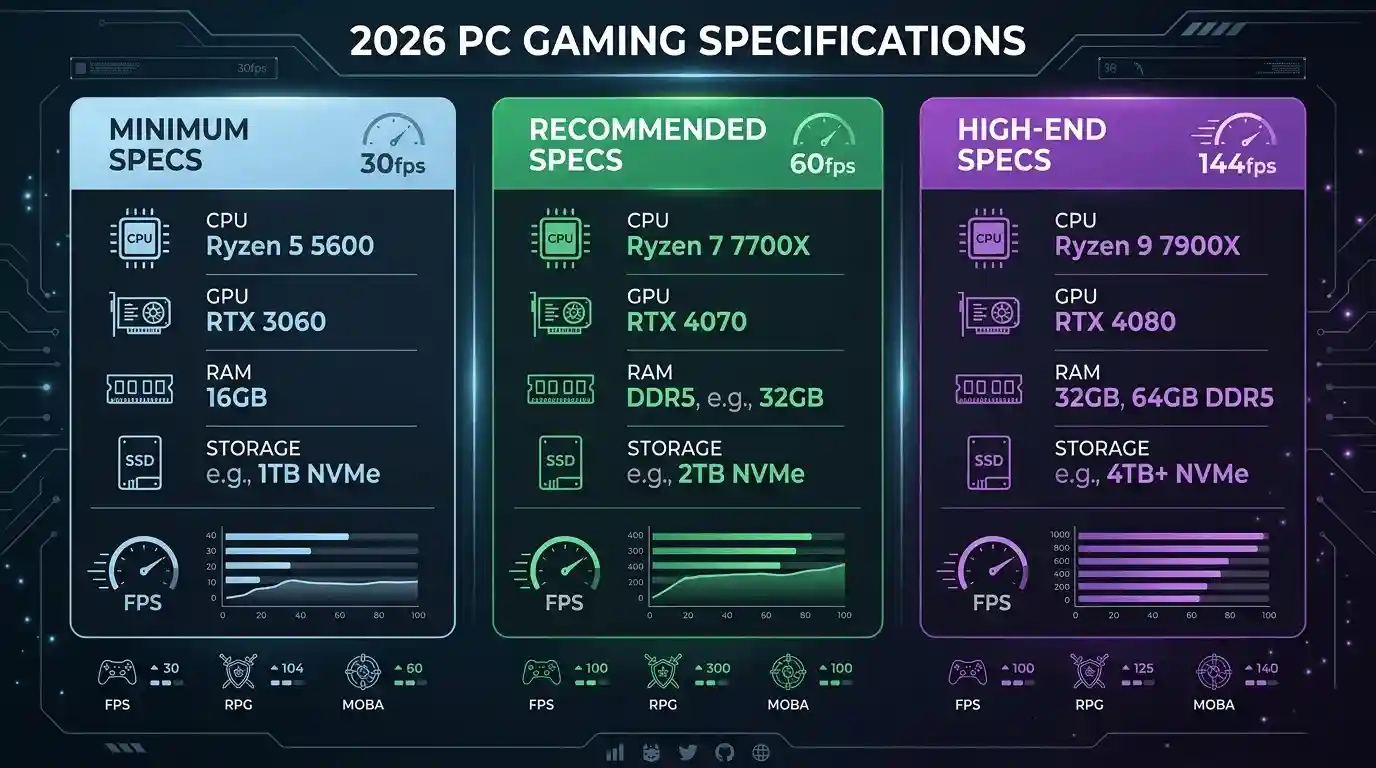
Baseline Specs You Need to Run 2026 Games
| Component | Minimum (1080p / 30fps) | Recommended (1080p / 60fps) | High-End (1440p / 60fps+) |
| CPU | Ryzen 5 5600 / i5-12400 | Ryzen 7 7700X / i5-13600K | Ryzen 9 7900X / i7-14700K |
| GPU | RTX 3060 / RX 6600 XT | RTX 4070 / RX 7800 XT | RTX 4080 / RX 7900 XTX |
| RAM | 16GB DDR4 | 16GB DDR5 | 32GB DDR5 |
| Storage | 500GB NVMe SSD | 1TB NVMe SSD | 2TB NVMe SSD |
| VRAM | 8GB | 12GB | 16GB+ |
Why These Numbers Are Higher Than 2024 Recommendations
- UE5 shader compilation increases CPU load
- DirectStorage makes HDDs obsolete for modern titles
- Ray tracing is becoming a default visual setting
- Open-world streaming requires faster RAM + SSD pipelines
Simply put: older “budget builds” now behave like entry-level systems.
What FPS Will You Get in 2026 Games — GPU Performance Breakdown
Expected FPS by GPU Tier at 1080p (New 2026 Releases)
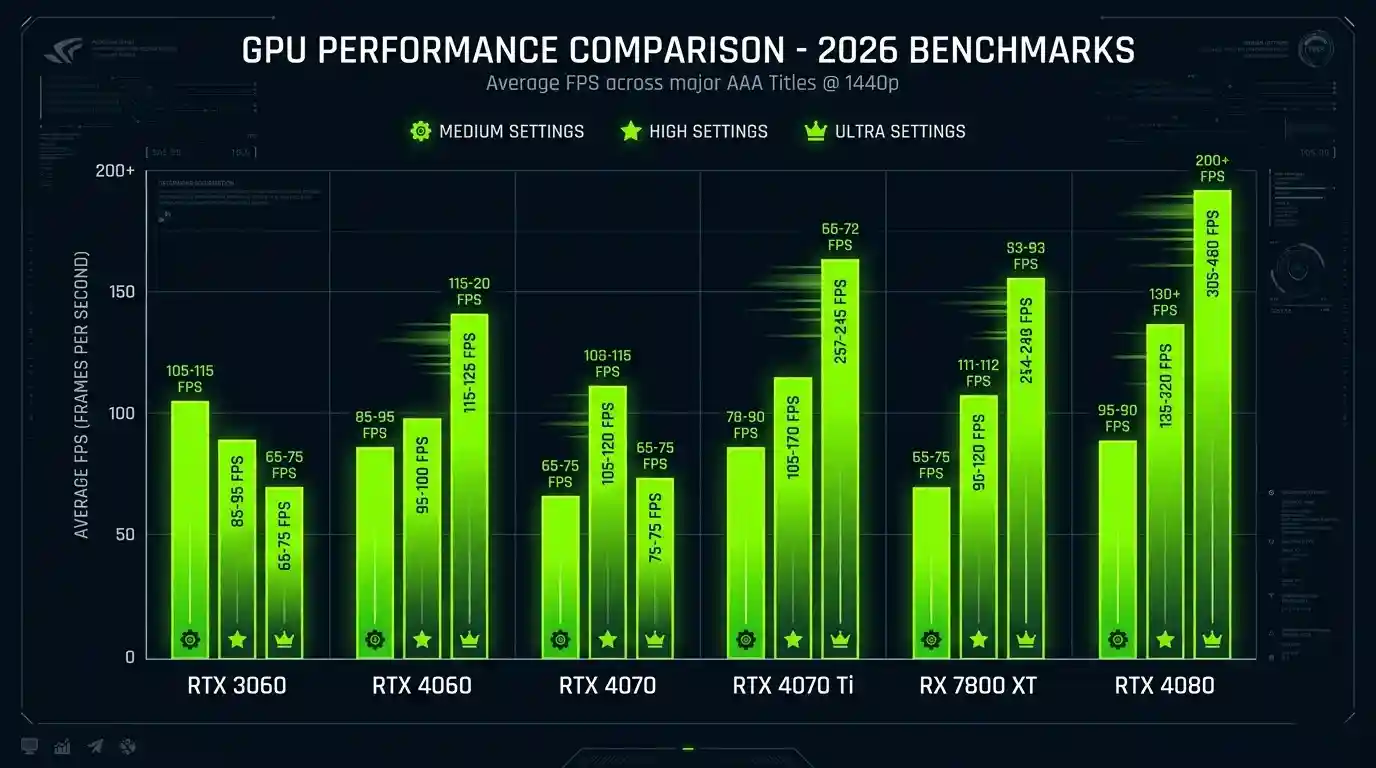
For more real-world performance comparisons and game-specific optimization guides, you can also explore Ghost of Tsushima Review & Rating (PS4, PS5, PC), NBA 2K26 Review: Is It Worth Buying on PS5, Xbox & PC, and How to Check If Your GPU Is Performing Well FPS & Health, which break down how different hardware performs under modern gaming loads.
| GPU | Medium | High | Ultra |
| RTX 3060 | ~65 FPS | ~48 FPS | ~35 FPS |
| RTX 4060 | ~85 FPS | ~67 FPS | ~50 FPS |
| RTX 4070 | ~110 FPS | ~88 FPS | ~70 FPS |
| RTX 4070 Ti | ~130 FPS | ~105 FPS | ~85 FPS |
| RX 7800 XT | ~100 FPS | ~82 FPS | ~63 FPS |
| RTX 4080 | ~150 FPS | ~125 FPS | ~100 FPS |
These numbers assume modern AAA optimization levels typical of UE5-class games.
Best GPUs for 60fps+ on New 2026 Releases
- Budget: RTX 4060 / RX 7600 XT → stable 1080p 60fps
- Mid-range: RTX 4070 / RX 7800 XT → strong 1440p performance
- High-end: RTX 4070 Ti Super → future-proof for next-gen titles
👉 Instead of manually estimating, you can use the FPS Calculator for Low-End PC — it calculates your expected FPS based on your exact GPU and CPU specs. This saves time and gives you accurate results before you even launch the game.
What Laptop Specs Do You Really Need in 2026?
Minimum Laptop Specs for Gaming New 2026 Releases
- CPU: Ryzen 7 7745HX / Intel i7-13700H
- GPU: RTX 4060 Laptop (8GB VRAM minimum)
- RAM: 16GB DDR5 dual-channel
- Display: 1080p 144Hz minimum
Laptop vs. Desktop FPS Gap
| Spec | Desktop RTX 4070 | Laptop RTX 4070 Mobile | FPS Difference |
| Power | 200W | 80–115W | ~20–30% lower |
| 1080p Ultra | ~88 FPS | ~62 FPS | ~30% loss |
| Thermals | Stable | Throttling risk | Variable |
Which Gaming Laptops Are Worth Buying in 2026
Look for:
- MUX switch support
- High-wattage GPU variants
- DDR5 dual-channel RAM
Avoid:
- RTX 4050 for AAA gaming
- Single-channel memory
- 60Hz displays in gaming laptops
Should You Buy a Gaming PC in 2026 or Wait?
2026 CPU Launches — Buy Now or Wait?
New CPU generations like Ryzen 9000-series refreshes and Intel Arrow Lake bring efficiency improvements, but current CPUs are still very capable.
- Ryzen 5 5600 / i5-12400 → still fine for 60fps gaming
- Ryzen 7000 / Intel 13th–14th gen → strong for years ahead
Only wait if you’re targeting:
- 4K gaming
- 144Hz+ competitive performance
- Heavy productivity + gaming workloads
Decision Matrix
- Buy now: RTX 3060 or older GPU users
- Hold: Mid-range CPUs (still strong)
- Upgrade immediately: Integrated graphics users
- Wait: 4K ultra-high refresh seekers
Building a Gaming PC in 2026 — What to Know Before You Buy
If you want deeper guidance on performance tuning and system optimization, you may also find What PC Parts Affect Gaming the Most? (Complete FPS Performance Guide), Optimize Windows 11 for Gaming FPS Boost Settings (2025), and The Ultimate Gaming Guide Hub useful for improving real in-game performance.
Best $500 PC Build for 2026 Game Releases
| Component | Recommended Pick | Est. Cost |
| CPU | Ryzen 5 7600 | $150 |
| GPU | RX 7600 / RTX 4060 | $230 |
| RAM | 16GB DDR5-5200 | $45 |
| Motherboard | B650 mATX | $90 |
| Storage | 1TB NVMe SSD | $55 |
| PSU | 650W Bronze | $55 |
| Case | Budget Mid Tower | $35 |
What FPS to Expect from a $500 Build
- 1080p Medium: 55–70 FPS
- 1080p High: 40–55 FPS
- Ultra settings: requires upscaling (DLSS/FSR)
Key Upgrade Priorities
- GPU matters more than CPU for gaming
- 1TB NVMe is now minimum standard
- DDR5 improves consistency in UE5 titles
Best In-Game Settings to Hit 60fps on New 2026 Releases
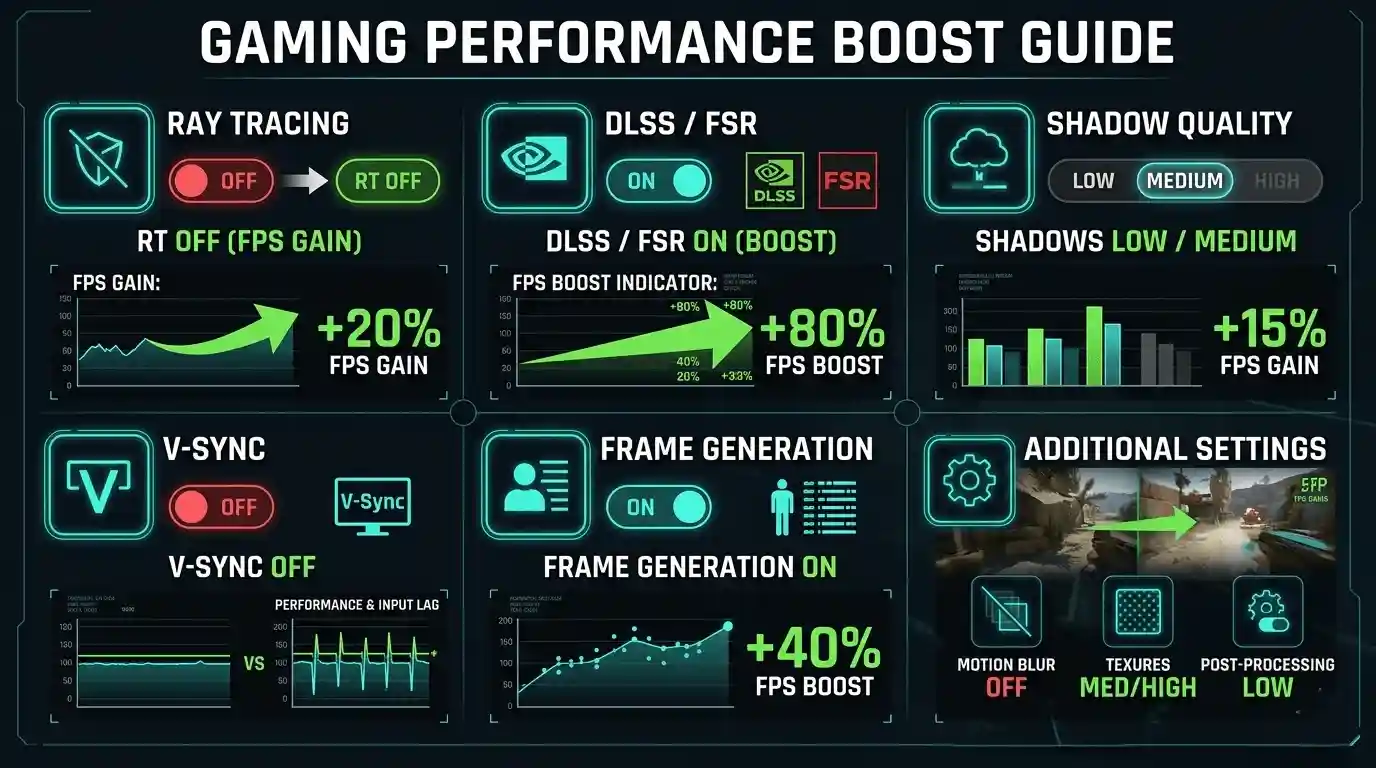
Settings That Hurt FPS the Most
- Ray Tracing → -40 to -60 FPS impact
- Global Illumination → major GPU load
- Shadows → medium impact but highly noticeable
Enable These for Free FPS Gains
- DLSS 3 / FSR 3 → +40–80% FPS boost
- Frame Generation → doubles perceived smoothness
- NVIDIA Reflex / Anti-Lag → reduces input delay
- Disable V-Sync → use FreeSync/G-Sync instead
What Specs Do You Need for Streaming + Gaming in 2026?
If you plan to stream:
- CPU: 8–12 cores recommended
- RAM: 32GB ideal
- GPU: RTX NVENC or AV1 encoder support
- Storage: 2TB preferred for recordings
RTX 4000-series NVENC and AMD AV1 encoders now make streaming almost lossless in performance impact.
Common PC Performance Issues with 2026 Games — And How to Fix Them
Why New Games Stutter
- Shader compilation delays
- VRAM overflow on 8GB GPUs
- CPU bottlenecks in open-world systems
Quick FPS Fix Checklist
- Update GPU drivers
- Enable XMP/EXPO in BIOS
- Close background apps
- Use SSD instead of HDD
- Enable upscaling before lowering settings
🎯 Calculate Your Exact FPS with FPS Calculator for Low-End PC
Instead of guessing performance across different GPUs and CPUs, the FPS Calculator for Low-End PC gives you a precise estimate based on your actual hardware configuration.
It helps you:
- Predict FPS before buying or upgrading
- Compare different GPU/CPU combinations
- Understand real-world performance in upcoming 2026 titles
👉 Try the FPS Calculator for Low-End PC here:https://primegamesarena.com/fps-calculator-for-low-end-pc/
Final Verdict — Are You Ready for 2026 Game Releases?
To run 2026 games smoothly at 1080p 60fps, your target should be:
- GPU: RTX 4060 / RX 7700 XT minimum
- CPU: 6-core modern processor or better
- RAM: 16GB (DDR5 preferred)
- Storage: 1TB NVMe SSD
Quick Summary
- 1080p gaming is still achievable on mid-range PCs
- 8GB VRAM GPUs are becoming limiting
- Upscaling tech is now essential, not optional
- Budget builds still work—but need smarter optimization
The smartest move in 2026 is not overspending—it’s building around FPS efficiency and realistic performance expectations.