

Introduction
Struggling to get playable FPS in Cyberpunk 2077 on older hardware? You’re not alone. Even years after launch, Cyberpunk 2077 remains one of the most demanding open-world RPGs available, pushing both GPUs and CPUs hard—especially in crowded areas of Night City.
This guide covers the best Cyberpunk 2077 settings for low end PC setups, including optimized in-game settings, advanced config tweaks, FPS recovery strategies, and realistic performance expectations. Whether you’re using integrated graphics, a GTX 1050 Ti, GTX 1060, RX 580, or an older processor below the recommended specifications, these optimizations can make a significant difference.
If you’re interested in more performance-focused guides and game breakdowns, explore our Ultimate Gaming Guide Hub, where we cover FPS optimization, hardware tuning, and system comparisons like What FPS Can I Get on My PC? — How to Check, Estimate & Boost Your Frame Rate and SSD vs HDD for Gaming: Which Is Better in 2025? to better understand how your system impacts gaming performance across different titles.
With the right settings, most low-end systems can achieve a stable 30–60 FPS experience, depending on hardware and resolution.
Cyberpunk 2077 Low-End PC System Requirements — What You’re Working With
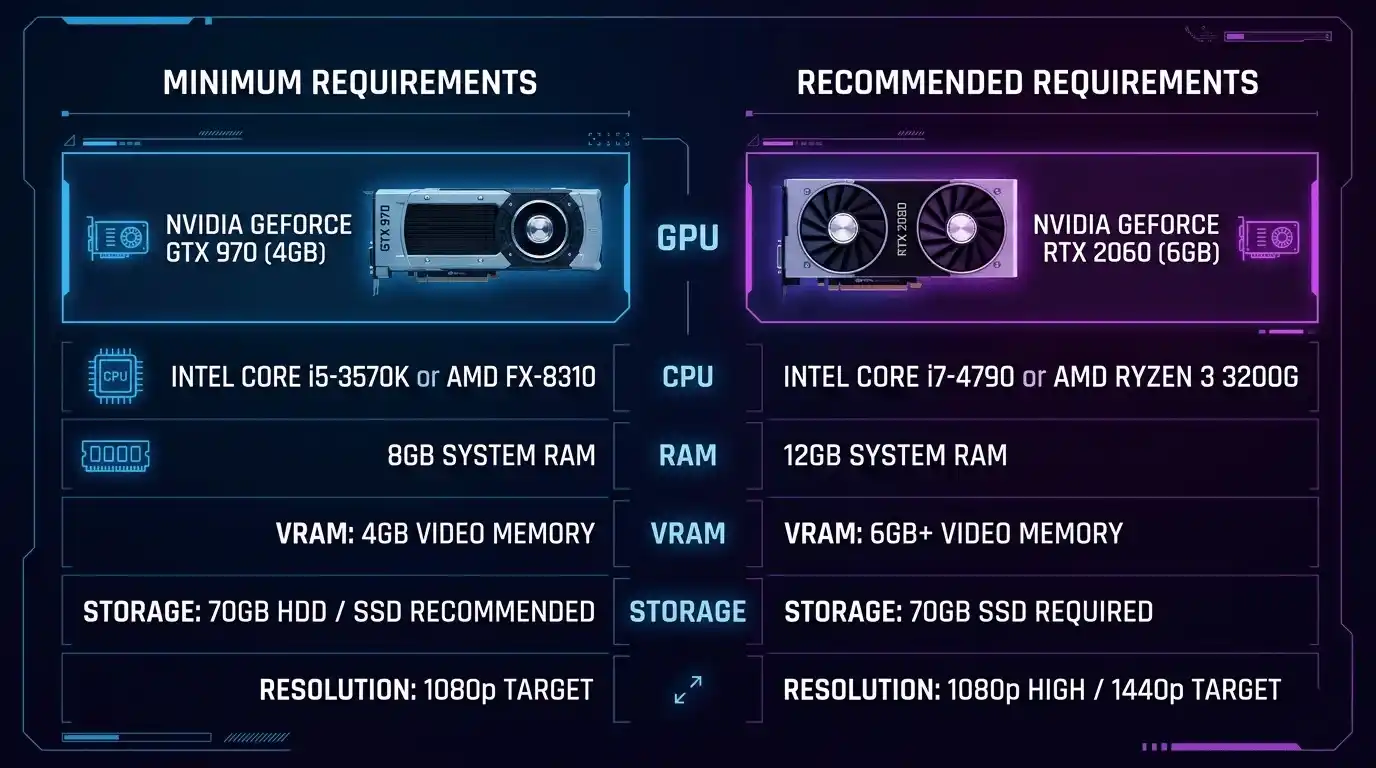
Before tweaking settings, it’s important to understand where your PC sits compared to the game’s requirements.
Minimum vs Recommended Specs Comparison
| Spec | Minimum | Recommended |
| GPU | GTX 970 / RX 470 | RTX 2060 / RX 5700 XT |
| CPU | Core i7-6700K / Ryzen 5 1600 | Core i7-8700K / Ryzen 5 3600 |
| RAM | 8 GB | 12 GB |
| VRAM | 4 GB | 8 GB |
| Storage | 70 GB HDD | 70 GB SSD |
| Resolution Target | 1080p Low | 1080p Ultra |
In Cyberpunk 2077 terms, a “low-end PC” generally means hardware at or below the minimum requirements. Systems below minimum specs will struggle significantly, while minimum-spec PCs require careful optimization to maintain smooth frame rates.
Even modern mid-range GPUs such as the RTX 4060 benefit from optimized settings at 1080p and 1440p because Night City’s dense environments can stress both GPU and CPU resources.
For a deeper breakdown of how different hardware affects performance in modern games, you can also check What PC Parts Affect Gaming the Most? (Complete FPS Performance Guide) and Does RAM Affect FPS in Games?, which explain why Cyberpunk 2077 is so demanding even on mid-range systems.
Storage also matters. While the game occupies around 70 GB, installing it on an SSD dramatically reduces load times and world-streaming stutters compared to a traditional HDD.
Cyberpunk 2077 Optimized Settings for Low End PC — In-Game Settings Guide
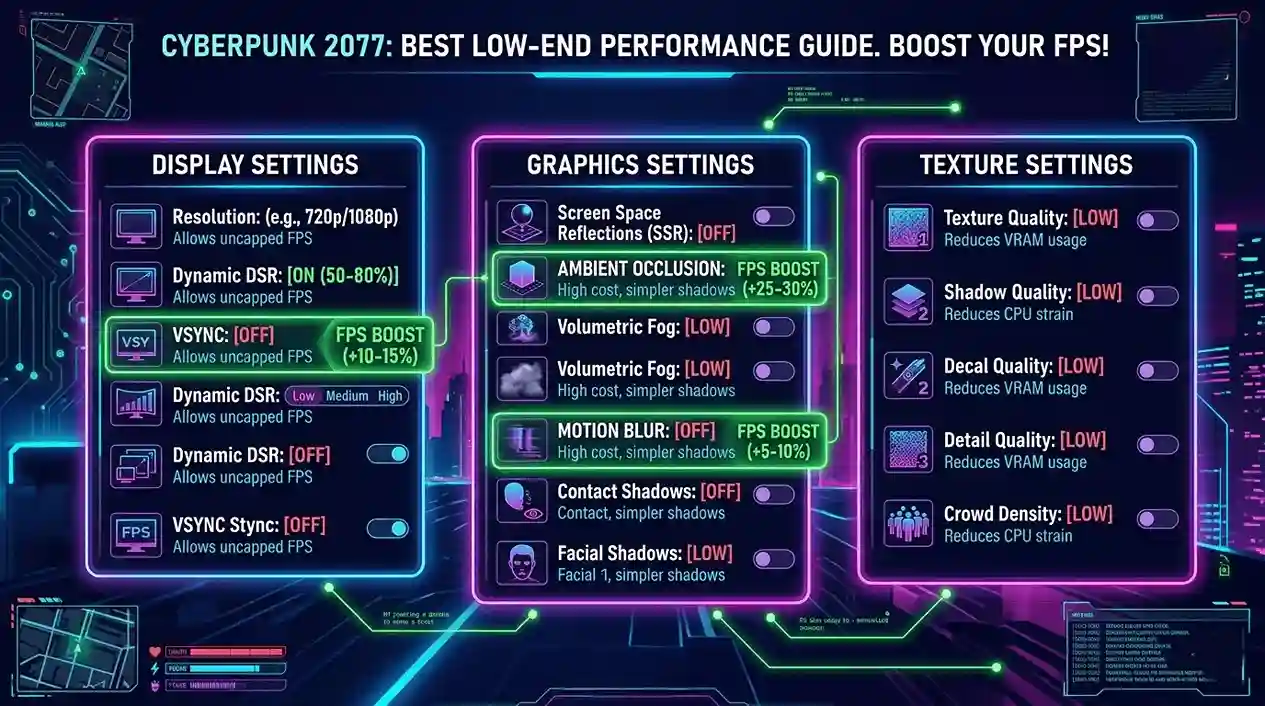
This section covers the Cyberpunk 2077 settings guide for maximum FPS on budget hardware.
Display Settings
| Setting | Recommended Value | FPS Impact |
| Resolution | 1080p (900p for very low-end) | High |
| Windowed Mode | Fullscreen | Medium |
| VSync | Off | High |
| Maximum FPS | Cap at 60 or monitor refresh rate | Medium |
| HDR | Off | Low |
Disabling VSync alone can recover approximately 5–10 FPS on weaker systems. If performance remains poor, lower resolution to 900p before considering 720p. Dropping directly to 720p should only be a last resort due to image quality loss.
Graphics Quality Settings
| Setting | Low-End Recommended | FPS Gain |
| Film Grain | Off | Low |
| Chromatic Aberration | Off | Low |
| Depth of Field | Off | Medium |
| Motion Blur | Off | Medium |
| Lens Flare | Off | Low |
| Ambient Occlusion | Off / Low | High |
| Contact Shadows | Off | High |
| Improved Facial Lighting | Off | Medium |
| Subsurface Scattering | Off | Medium |
These post-processing effects consume valuable GPU resources while offering minimal visual improvements on low-end systems.
Turning off Ambient Occlusion alone can recover between 8–15 FPS depending on the GPU.
Texture & Detail Settings
| Setting | Low-End Value | Notes |
| Texture Quality | Low | VRAM dependent |
| Texture Filtering | 4x Anisotropic | Good balance |
| Local Shadow Mesh Quality | Low | |
| Local Shadow Quality | Low | |
| Cascaded Shadow Range | Low | |
| Cascaded Shadow Resolution | Low | |
| Distant Shadow Resolution | Low | |
| Volumetric Fog Resolution | Low | High impact |
| Volumetric Cloud Quality | Off | |
| Dynamic Decals | Low | |
| Screen Space Reflections | Off | Very high impact |
| Ambient Occlusion | Off | Very high impact |
Crowd & NPC Density
Night City is heavily CPU-dependent.
Recommended settings:
- Street Population Density: Medium or Low
- Traffic Density: Low
NPC density is arguably the largest CPU bottleneck in Cyberpunk 2077. Older quad-core and first-generation Ryzen CPUs can gain noticeable FPS improvements simply by reducing crowd density.
Ray Tracing Settings
Disable all Ray Tracing features.
For low-end PCs, this is non-negotiable. Ray Tracing dramatically increases GPU load and can cut FPS in half or worse.
The only practical exception is RTX 4060-class hardware, which we’ll cover later.
DLSS / FSR / XeSS Upscaling — The Low-End Player’s Best Friend
| Upscaling Tech | Best For | Recommended Mode |
| DLSS 3 | NVIDIA RTX GPUs | Quality or Balanced |
| FSR 2.1 | AMD, Older NVIDIA, Intel | Quality or Balanced |
| XeSS | Intel Arc GPUs | Quality |
For low-end PCs, enabling FSR 2.1 on Performance mode can nearly double FPS in some scenarios.
DLSS Quality often looks better than native low settings while delivering higher frame rates. Avoid Ultra Performance mode because image quality degrades significantly.
These optimization techniques are similar to those used in other demanding titles such as DOOM PS4 Review: Is It Still Worth Playing in 2025? and Far Cry Primal Reviews: Is It Worth Playing in 2025?, where GPU-heavy environments also require careful balance between visuals and performance.
Not Sure If Your PC Can Handle Cyberpunk 2077?
Before diving into config-level tweaks, check your expected performance first.
Instead of manually estimating, you can use the FPS Calculator for Low End PC at https://primegamesarena.com/fps-calculator-for-low-end-pc/. It calculates your expected FPS based on your exact GPU and CPU combination, helping you determine whether to target a stable 30 FPS or push toward 60 FPS.
Cyberpunk 2077 Low End PC Config File Tweaks — Advanced Optimization
These Cyberpunk 2077 low end PC config file tweaks are designed for players who need every last frame.
How to Access the Config File
Navigate to:
%USERPROFILE%\AppData\Local\CD Projekt Red\Cyberpunk 2077\
File:
UserSettings.json
Always create a backup before making changes.
Key Config File Values to Change
| Config Parameter | Recommended Value | Effect |
| GrassFieldDrawDistance | Low | Reduces outdoor GPU load |
| RenderingPathType | 0 | FPS boost on weaker GPUs |
| SSAOEnabled | false | Removes ambient occlusion |
| LevelOfDetail | 1 | Reduces NPC and object detail |
| TextureMemoryBudget | 512 | Limits VRAM usage |
Some settings may reset after major game updates, so re-check your configuration after patches.
Many players in the Cyberpunk 2077 low end PC Reddit community frequently share updated presets and optimization profiles following major patches.
Recommended Low-End Config Preset Summary
GrassFieldDrawDistance=Low
RenderingPathType=0
SSAOEnabled=false
LevelOfDetail=1
TextureMemoryBudget=512
Best Cyberpunk 2077 Settings for FPS and Quality — Balanced Preset
Not everyone wants maximum FPS at the expense of visual quality.
Balanced Settings Table (Low-Mid Preset)
| Category | Setting Value |
| Texture Quality | Medium |
| Shadow Quality | Low |
| Ambient Occlusion | Off |
| Screen Space Reflections | Low |
| FSR / DLSS | Balanced |
| Volumetric Fog | Low |
| Crowd Density | Medium |
| Ray Tracing | Off |
This preset is ideal for:
- GTX 1060 6GB
- RX 580 8GB
- GTX 1650 Super
- RX 5500 XT
Expected performance at 1080p is generally between 40–55 FPS.
Cyberpunk 2077 FPS Benchmarks — What to Expect on Low-End Hardware
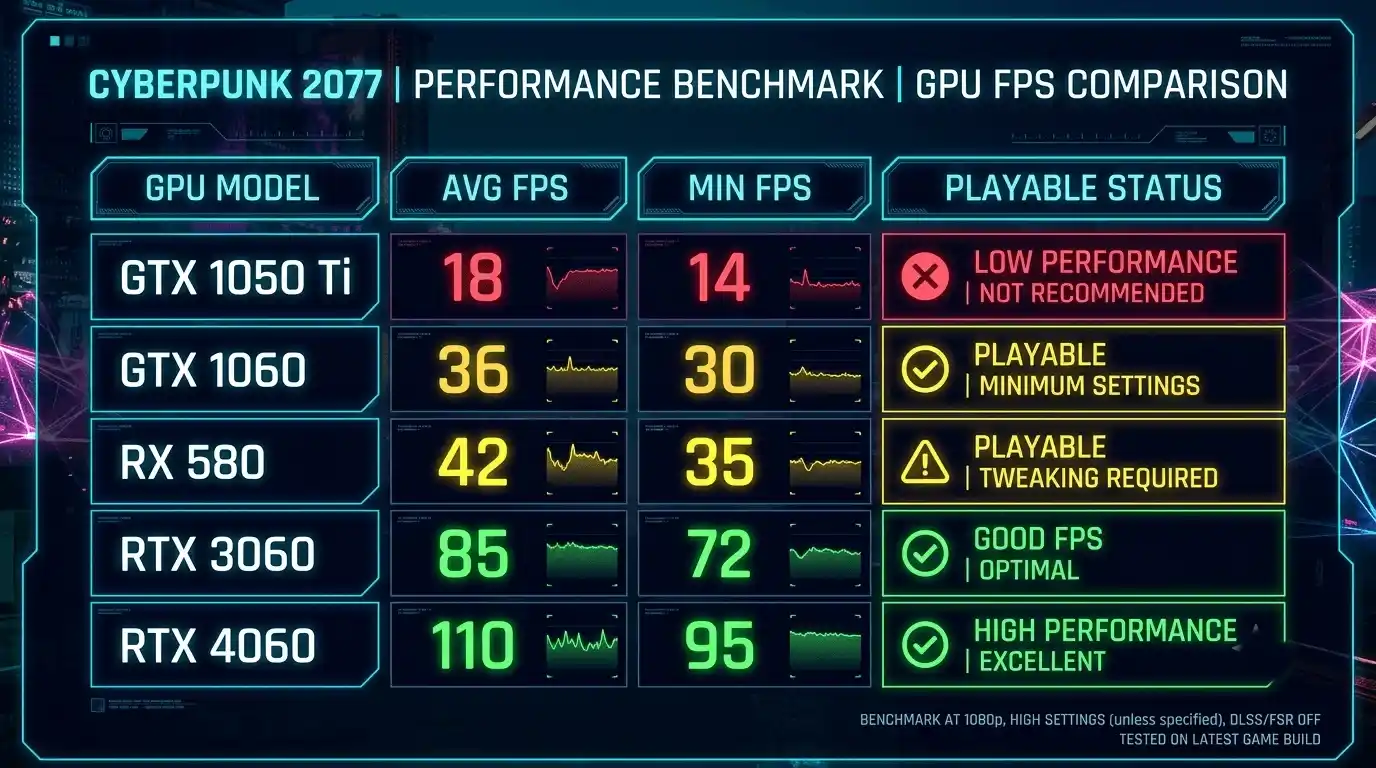
FPS Benchmark Table by GPU (1080p Low Settings, No RT, FSR Off)
For more real-world game performance comparisons and expectations across different hardware setups, you may also explore Is a Gaming PC Better Than PS5 FPS Comparison 2026 and Ghost of Tsushima Review & Rating (PS4, PS5, PC) to understand how optimization varies across modern AAA games.
| GPU | Avg FPS | Min FPS | Playable? |
| GTX 1050 Ti 4GB | 28–35 | 20 | With FSR |
| GTX 1060 6GB | 38–48 | 28 | Yes |
| GTX 1650 4GB | 42–52 | 30 | Yes |
| RX 580 8GB | 35–45 | 25 | Yes |
| RX 5500 XT 8GB | 45–55 | 32 | Yes |
| GTX 1660 Super | 55–65 | 40 | Yes |
| RTX 3060 | 70–90 | 55 | Comfortable |
| RTX 4060 | 90–120 | 70 | Excellent |
FPS Benchmark by Resolution (GTX 1060 Reference)
| Resolution | Avg FPS (Low) | Avg FPS (Medium) |
| 720p | 58–70 | 40–50 |
| 900p | 48–58 | 32–42 |
| 1080p | 38–48 | 25–35 |
Cyberpunk 2077 Best Settings for RTX 4060 — Mid-Tier Optimization
RTX 4060 users can safely increase visual quality without sacrificing performance.
RTX 4060 Recommended Settings
| Setting | Value |
| Resolution | 1080p / 1440p |
| Ray Tracing | Medium (Reflections Only) |
| DLSS | Quality |
| Texture Quality | High |
| Shadow Quality | Medium |
| Screen Space Reflections | Medium |
| Crowd Density | High |
Expected performance ranges from 85–110 FPS at 1080p with DLSS Quality enabled.
Because the RTX 4060 includes 8GB of VRAM, High textures are generally safe. At 1440p, avoid Ultra textures to reduce VRAM pressure.
How to Play Cyberpunk 2077 on a Low End PC — Additional Performance Tips
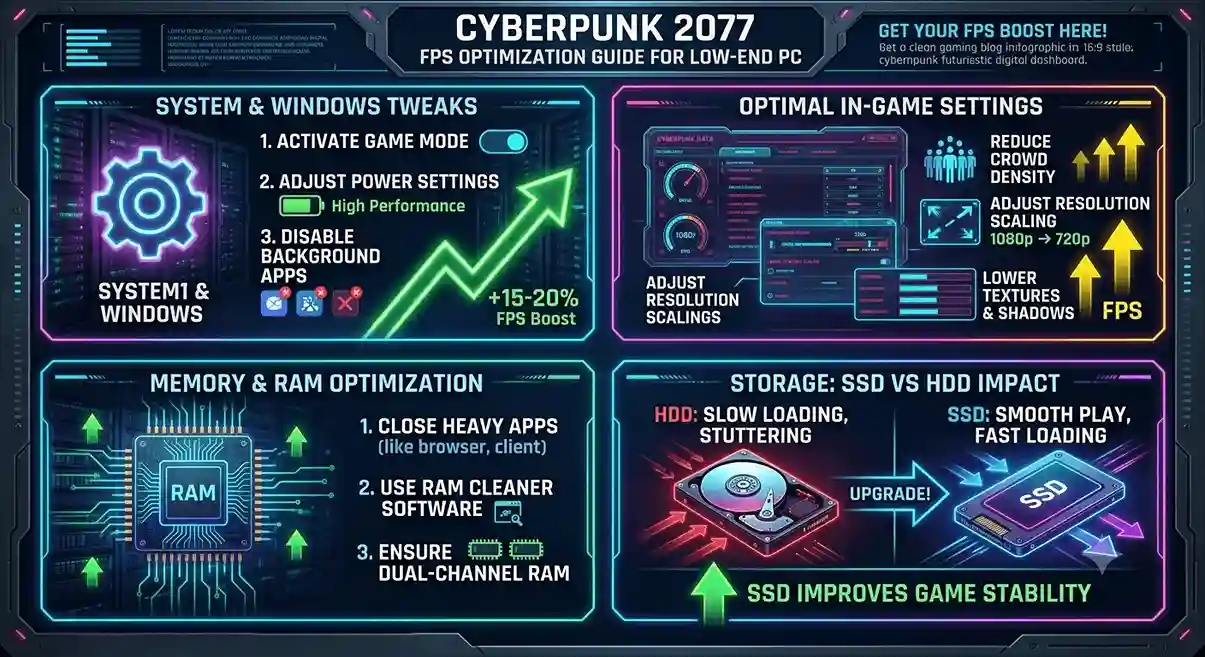
Windows & Driver-Level Optimizations
- Update NVIDIA Game Ready or AMD Adrenalin drivers
- Enable High Performance power mode
- Disable Xbox Game Bar recording
- Enable Hardware Accelerated GPU Scheduling (Windows 11)
In-Game Quick Wins
- Use DX11 launch option (-dx11) on older GPUs
- Disable Steam Overlay
- Disable Discord Overlay
- Set Cyberpunk 2077 process priority to High
RAM Optimization
- Enable XMP/EXPO profiles
- Close background applications
- Free at least 2 GB RAM before launching
- Configure page file if using only 8 GB RAM
SSD vs HDD Impact
Installing Cyberpunk 2077 on an SSD can reduce loading times by 30–50%.
HDD users should expect longer asset streaming delays and occasional stutters even with optimized graphics settings.
Common Low FPS Issues in Cyberpunk 2077 — Fixes
Why Is My FPS So Low in Cyberpunk 2077?
| Issue | Likely Cause | Fix |
| FPS drops in crowds | CPU bottleneck | Lower crowd density |
| FPS drops in rain/fog | Volumetric effects | Lower fog settings |
| Stuttering while exploring | VRAM overflow | Lower texture quality |
| Low FPS despite low settings | Driver issue or RT enabled | Update drivers and disable RT |
| FPS worse after update | Config reset | Re-apply tweaks |
Cyberpunk 2077 Low End PC Reddit — Community-Proven Fixes
The most commonly recommended fixes from low-end Cyberpunk players include:
- Disable Ambient Occlusion completely
- Lower NPC density before lowering resolution
- Use FSR Performance mode
- Reduce volumetric fog settings
- Reapply custom config edits after patches
- Use community presets from Nexus Mods when available
Calculate Your Exact FPS with FPS Calculator for Low End PC
The FPS Calculator for Low End PC helps estimate real-world Cyberpunk 2077 performance based on your specific CPU and GPU combination. Instead of guessing whether your hardware can achieve 30 FPS, 60 FPS, or somewhere in between, you can get a tailored estimate before changing settings.
This tool is particularly useful for players deciding between different resolutions, graphics presets, or upgrade paths. It provides a realistic performance baseline that makes optimization much easier.
👉 Try the FPS Calculator for Low End PC here: https://primegamesarena.com/fps-calculator-for-low-end-pc/
Conclusion — Final Verdict
The biggest FPS gains in Cyberpunk 2077 come from disabling Ambient Occlusion, turning off Ray Tracing, lowering crowd density, reducing volumetric effects, and enabling FSR or DLSS upscaling.
For true low-end PCs, a realistic target is 30–60 FPS depending on hardware and resolution. Achieving 60+ FPS consistently usually requires at least a mid-range GPU such as a GTX 1660 Super, RTX 3060, or better.
Remember to reapply any config file tweaks after major Cyberpunk 2077 updates, as patches may reset custom settings.
Finally, before making major changes, use the FPS Calculator for Low End PC to establish a performance baseline and accurately measure the impact of your optimizations.







One Response