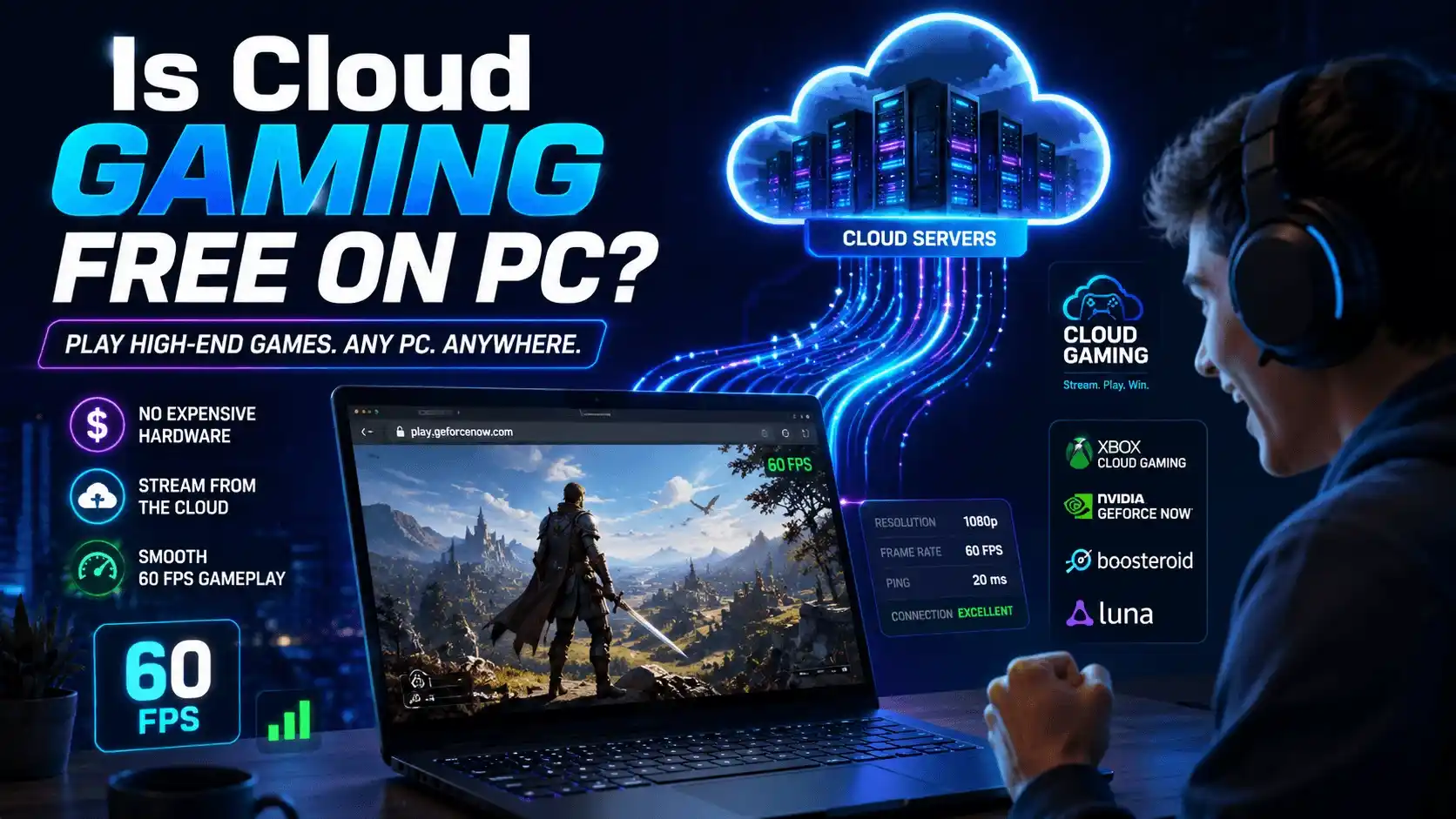
Cloud gaming has changed the way people play PC games. Instead of relying on an expensive graphics card, powerful CPU, and large storage drive, cloud gaming lets remote servers handle all the heavy lifting. Your PC simply streams the game like a video.
But the question many gamers ask is simple: Is cloud gaming free on PC?
The short answer is yes—but with limitations. Several platforms offer free cloud gaming access, though features, game libraries, session lengths, and FPS performance vary significantly. This guide explains exactly what’s free, which services are worth using, and what FPS you can realistically expect.
For more gaming performance tips, FPS optimization guides, and hardware recommendations, visit The Ultimate Gaming Guide Hub: FPS Tips, Game Picks, Walkthroughs & More (2026).
What Is Cloud Gaming on PC? (Quick Overview)
How Cloud Gaming Works — No Powerful GPU Required
Cloud gaming allows games to run on remote servers instead of your local hardware. The game renders in a data center, and the video stream is sent to your PC through the internet.
This means:
- No expensive gaming GPU required
- No lengthy downloads or installations
- Older laptops can run modern games
- Browser-based access is often enough
For many users, especially those with low-end systems, pc cloud gaming offers a way to play demanding titles that would otherwise be impossible to run locally.
Common terms include:
- Cloud gaming
- Gaming cloud
- Game cloud
- PC cloud gaming
- Cloud games
Cloud Gaming vs Local PC Gaming — FPS and Performance at a Glance
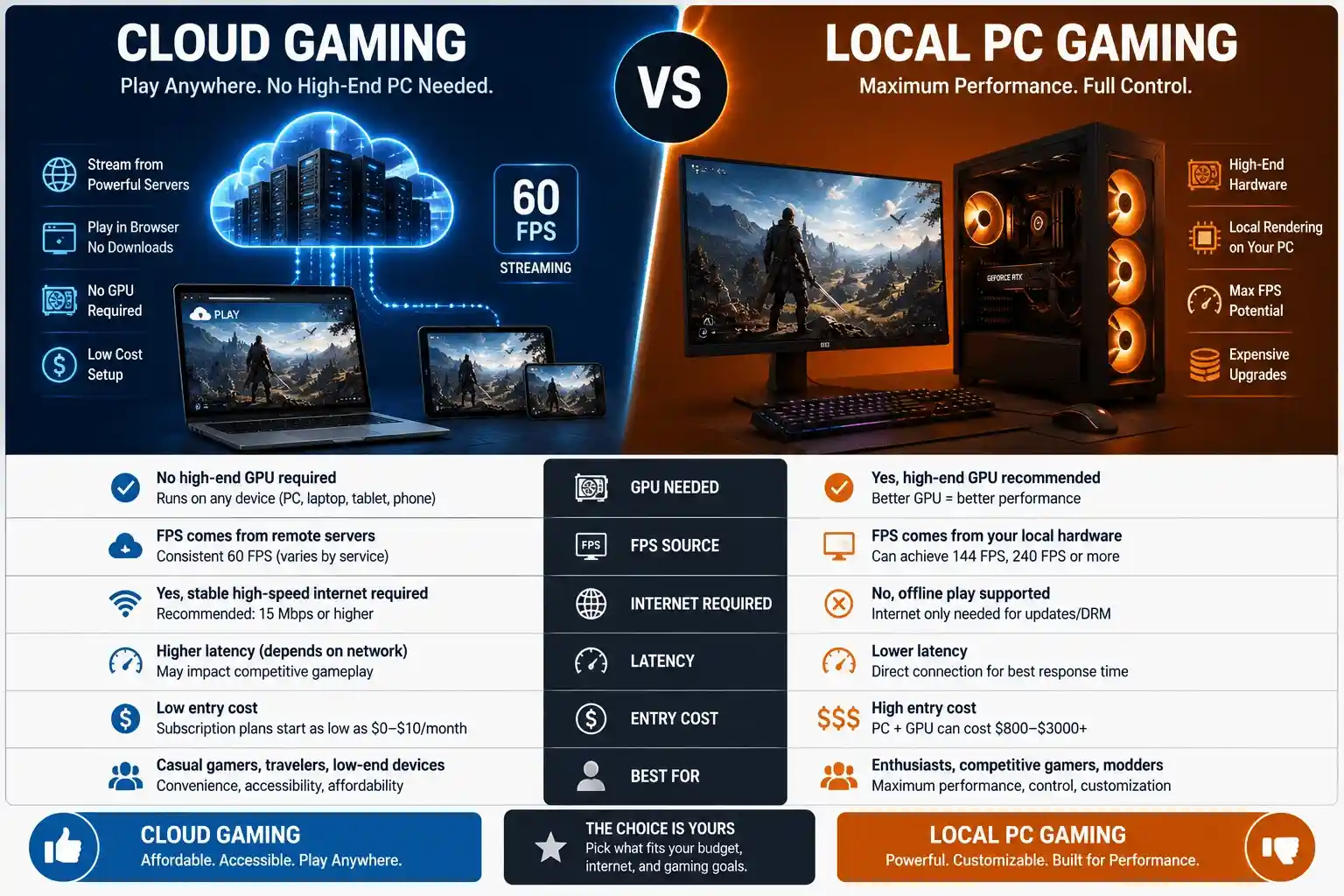
| Factor | Cloud Gaming | Local PC Gaming |
| GPU Needed | ❌ No | ✅ Yes |
| FPS Source | Remote server | Your hardware |
| Typical FPS (Free Tier) | 60 FPS (capped by server) | Varies by GPU/CPU |
| Internet Required | ✅ Yes (10+ Mbps) | ❌ Not for offline |
| Input Latency | Higher (~50–100ms) | Low (~5–20ms) |
| Entry Cost | Free (for F2P games) | $200–$1,000+ GPU |
| Best For | Low-end PCs, F2P gamers | Performance-first gamers |
Is Cloud Gaming Actually Free on PC? — The Direct Answer
Yes and No — Here’s What’s Really Free
Yes, free cloud gaming exists on PC.
However, most free options come with restrictions such as:
- Limited session lengths
- Free-to-play games only
- Lower queue priority
- Reduced video quality
Currently, the most popular cloud gaming free options include:
- Xbox Cloud Gaming (free-to-play titles)
- CloudMoon
- NVIDIA GeForce NOW Free Tier
Paid subscriptions unlock larger libraries and premium features.
Free vs Paid Cloud Gaming — Full Tier Comparison
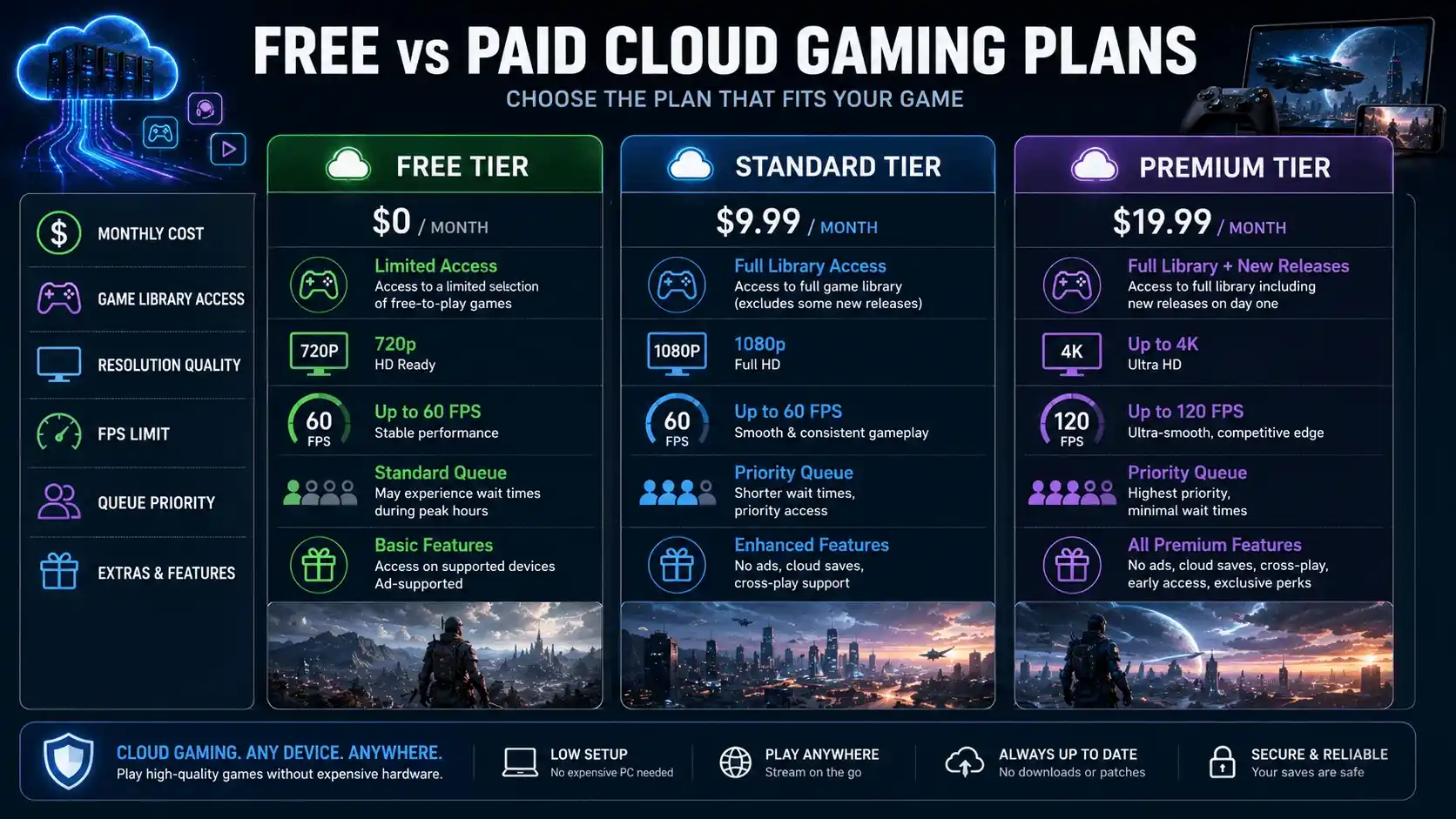
If you’re wondering how your current hardware compares to cloud gaming performance, check out What FPS Can I Get on My PC? — How to Check, Estimate & Boost Your Frame Rate, How Much FPS Can My PC Handle?, and What PC Parts Affect Gaming the Most? (Complete FPS Performance Guide).
| Tier | Monthly Cost | FPS / Resolution | Game Access | Examples |
| Free | $0 | 720p–1080p / 60 FPS | F2P titles only | Xbox, CloudMoon, GeForce NOW Free |
| Standard | $9.99–$14.99 | 1080p / 60 FPS | Hundreds of games | Xbox Game Pass Ultimate |
| Premium | $19.99+ | 4K / up to 120 FPS | Full library + priority | GeForce NOW Ultimate, Shadow |
Best Free Cloud Gaming Services for PC in 2025
Xbox Cloud Gaming — Play Free Games Without a Subscription
Xbox Cloud Gaming (xCloud) allows players to stream selected free-to-play games directly from a browser.
Benefits include:
- No installation required
- Works through xbox.com/play
- Free Microsoft account access
- Compatible with Windows, Mac, and Chromebooks
For gamers looking for free cloud gaming services, Xbox is one of the easiest options to start with.
CloudMoon (CloudMoonApp) — Browser-Based Free Cloud Gaming on Any PC
CloudMoon, sometimes called CloudMoonApp or Cloud Moon, is designed for browser-based access.
Its biggest advantages include:
- No download required
- Works on low-end PCs
- Browser accessibility
- Useful on restricted or managed systems
Many users turn to CloudMoon when they need a lightweight cloud gaming solution that works almost anywhere.
Roblox Unblocked via Cloud Gaming — Play Anywhere for Free
Many school and workplace networks restrict direct access to Roblox.
Cloud gaming services can sometimes provide access through streamed sessions because the game runs remotely rather than directly on the local device.
Benefits include:
- Browser-based access
- No local installation
- Lower hardware requirements
- Potential access where direct installation isn’t allowed
Other Free Cloud Gaming Platforms Worth Trying
| Platform | Free Tier? | Browser Support | Free FPS Cap | Best For |
| Xbox Cloud Gaming | ✅ F2P games | ✅ Yes | 1080p / 60 FPS | Console-style F2P games |
| CloudMoon | ✅ Yes | ✅ Yes | Varies | Restricted networks |
| NVIDIA GeForce NOW | ✅ 1-hour sessions | ✅ Yes | 1080p / 60 FPS | Steam and Epic libraries |
| Amazon Luna | ❌ Paid only | ✅ Yes | 1080p / 60 FPS | Casual gaming |
| Boosteroid | ✅ Limited trial | ✅ Yes | 1080p / 60 FPS | European users |
Free Games on Xbox Cloud Gaming Without Game Pass
What Free-to-Play Games Are Available on Xbox Cloud Gaming? (Full List)
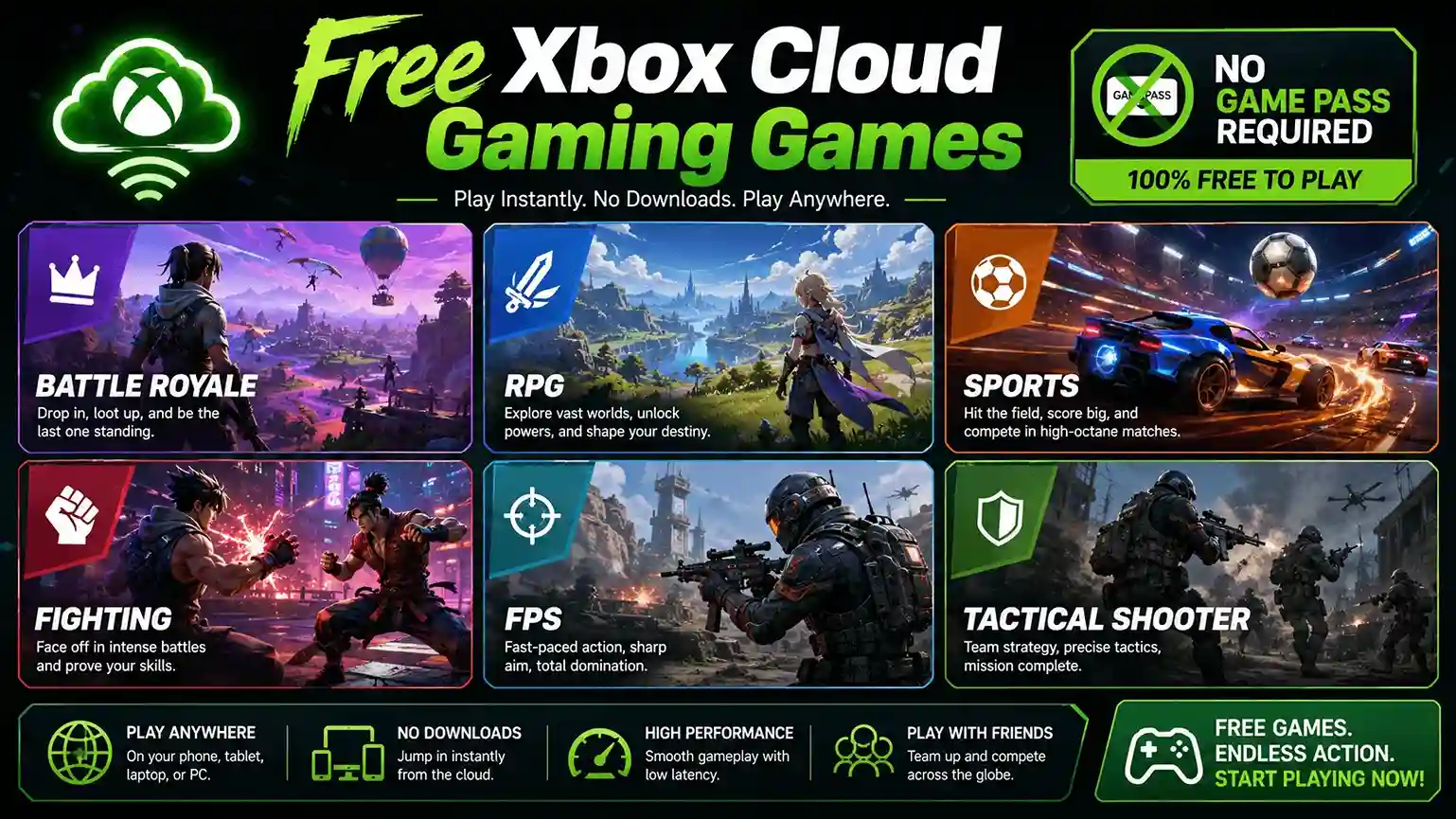
Several popular games can be streamed through Xbox Cloud Gaming without purchasing Game Pass Ultimate.
| Game Title | Genre | Free | Cloud Playable (No Pass) |
| Fortnite | Battle Royale | ✅ | ✅ |
| Warframe | Action RPG | ✅ | ✅ |
| Rocket League | Sports | ✅ | ✅ |
| Apex Legends | Battle Royale | ✅ | ✅ |
| Genshin Impact | Open-World RPG | ✅ | ✅ |
| Fall Guys | Party Royale | ✅ | ✅ |
| Destiny 2 | FPS/MMO | ✅ | ✅ |
| Brawlhalla | Fighting | ✅ | ✅ |
| Splitgate | Arena FPS | ✅ | ✅ |
| Rogue Company | Tactical Shooter | ✅ | ✅ |
Availability may change over time.
How to Access Xbox Cloud Free Games on PC — Step-by-Step
- Open your browser.
- Visit xbox.com/play.
- Sign in using a free Microsoft account.
- Browse available free-to-play titles.
- Launch and stream instantly.
No Xbox app is required for browser-based gaming.
Xbox Cloud Gaming Pricing — Subscription Plans & Free Trial
Xbox Cloud Gaming Cost Breakdown — How Much Is It?
| Plan | Monthly Price | Cloud Gaming Included | Games |
| Free Microsoft Account | $0 | ✅ F2P only | Free-to-play titles |
| Xbox Game Pass Core | $9.99/mo | ❌ No | Limited library |
| Xbox Game Pass Ultimate | $14.99/mo | ✅ Yes | Large catalog |
Xbox Game Pass Ultimate Free Trial — What You Get
The Ultimate plan typically includes:
- Xbox Cloud Gaming access
- PC Game Pass
- Console Game Pass
- Day-one game releases
- Online multiplayer features
Performance generally reaches:
- Up to 1080p streaming
- Up to 60 FPS
- Lower queue times
FPS Performance in Cloud Gaming — What to Expect on Your PC
What FPS Does Cloud Gaming Actually Deliver?
One of the biggest misconceptions about cloud gaming is that your GPU determines FPS.
In reality, the cloud server controls rendering performance.
Typical expectations:
| Tier | Resolution | FPS |
| Free Tier | 720p–1080p | 30–60 FPS |
| Standard Tier | 1080p | 60 FPS |
| Premium Tier | 1080p–4K | 60–120 FPS |
Your local PC only needs enough power to decode the video stream. Players interested in maximizing frame rates should also read What FPS Do Pro Gamers Play At? FPS Explained and What Sensitivity Do Pro Gamers Use in FPS Games Settings to better understand competitive gaming performance.
Internet Speed vs FPS Quality in Cloud Gaming
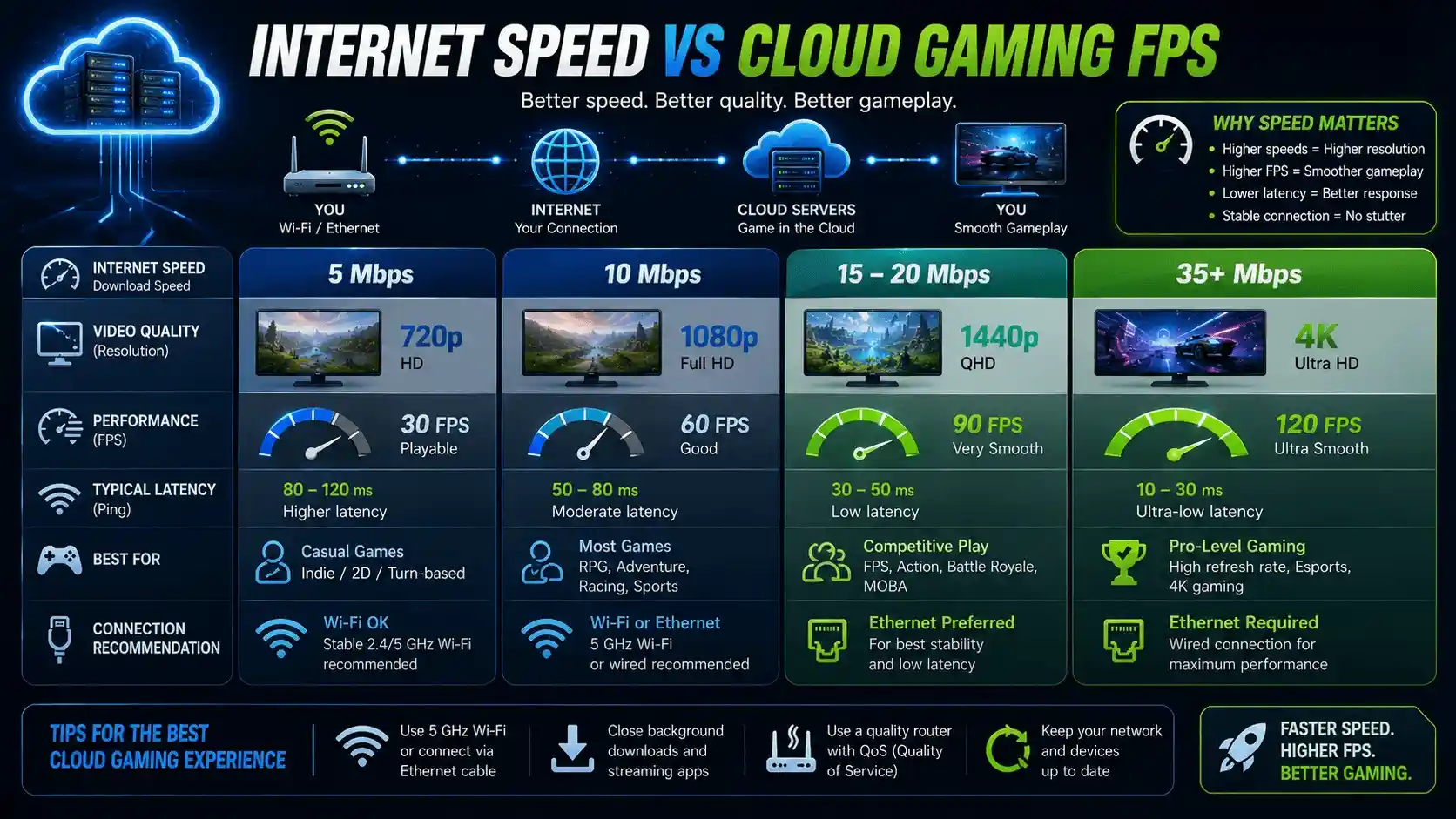
| Download Speed | Stream Quality | FPS Experience |
| 5 Mbps | 720p | 30–60 FPS |
| 10 Mbps | 1080p | 60 FPS |
| 15–20 Mbps | 1080p Smooth | Stable 60 FPS |
| 35 Mbps+ | 1080p–4K | 60–120 FPS |
Can a Low-End PC Handle Cloud Gaming? Minimum Specs
| Component | Minimum Requirement | Why |
| CPU | Dual-Core (2010+) | Browser operation |
| RAM | 4 GB | Stream buffering |
| GPU | Integrated Graphics | Video decoding |
| Internet | 10 Mbps+ | Essential for streaming |
| OS | Windows 7+, ChromeOS | Browser support |
Instead of manually estimating, you can use the PrimeGamesArena FPS Calculator for Low-End PCs — it calculates your expected FPS based on your exact GPU and CPU specifications. This helps you compare local gaming performance against cloud gaming before investing in any subscription plan.
How to Download and Set Up Free Cloud Gaming on PC
How to Download the Xbox App and Set Up Xbox Cloud Gaming on PC
You have two options:
Browser Method
- Visit xbox.com/play
- Sign in
- Start streaming instantly
Xbox App Method
- Download the Xbox app
- Install on Windows
- Sign in with Microsoft account
- Access cloud-enabled titles
How to Use CloudMoon App on PC — Zero Download Required
Getting started is simple:
- Open Chrome, Edge, or Firefox.
- Visit the CloudMoon website.
- Create a free account.
- Browse available games.
- Launch directly in your browser.
How to Play Roblox Unblocked via Cloud Gaming on PC
Cloud gaming services can provide browser-based access where local installations may not be practical.
General process:
- Open a compatible cloud gaming platform.
- Sign in.
- Launch Roblox through the service.
- Play through the streamed session.
Xbox Cloud Gaming on Android, iOS & Other Devices
Xbox Cloud Gaming supports:
- Android smartphones
- Android tablets
- iPhones
- iPads
- Windows PCs
- Mac devices
- Chromebooks
Most users can play directly through a supported browser.
Tips to Maximize FPS and Performance in Free Cloud Gaming
Best Network Settings for Smoother Cloud Gaming FPS
For the best experience:
- Use Ethernet whenever possible
- Choose 5 GHz Wi-Fi over 2.4 GHz
- Minimize background downloads
- Keep streaming devices off the network during gaming
Browser and App Settings for CloudMoon and Xbox Cloud Gaming
Hardware health can also affect gaming responsiveness, so consider checking How to Check If Your GPU Is Performing Well FPS & Health and How to Know If My PSU Is Failing: Warning Signs if you’re experiencing unexpected performance issues.
Recommended optimizations:
- Enable hardware acceleration
- Close unnecessary tabs
- Disable resource-heavy extensions
- Use Chrome or Microsoft Edge
Common Cloud Gaming FPS Drops and Lag Issues — Fixes
| Problem | Likely Cause | Quick Fix |
| Input lag | High ping | Use Ethernet |
| Blurry visuals | Low bitrate | Improve internet speed |
| FPS drops | Server congestion | Change region |
| Disconnects | Unstable network | Use 5 GHz Wi-Fi |
| Black screen | Browser issue | Switch browsers |
| Freezing | System memory shortage | Close background apps |
🎯 Calculate Your Exact FPS — Cloud Gaming vs Playing Locally
Many gamers assume cloud gaming is automatically the better choice. In reality, some older PCs can still deliver playable frame rates in popular games when settings are optimized.
If you’re unsure whether your system can handle a game locally, use the PrimeGamesArena FPS Calculator for Low-End PCs. It estimates expected FPS based on your GPU, CPU, RAM, and game settings, helping you make a more informed decision before choosing a cloud gaming service.
Calculate Your Exact FPS with PrimeGamesArena FPS Calculator
The PrimeGamesArena FPS Calculator is designed for gamers who want realistic frame rate estimates before downloading a game or purchasing a subscription. Simply enter your hardware specifications and compare your expected local performance against cloud gaming alternatives.
Whether you’re using integrated graphics, an older GTX card, or a modern RTX GPU, the calculator provides a quick way to determine if cloud gaming is necessary for your setup.
👉 Try the PrimeGamesArena FPS Calculator here: https://primegamesarena.com/fps-calculator-for-low-end-pc/
Final Verdict — Is Cloud Gaming Free on PC Worth It?
When Free Cloud Gaming Is the Right Move
Free cloud gaming makes sense if:
- You own a low-end PC
- You primarily play free-to-play games
- You don’t want to buy a gaming GPU
- You need browser-based gaming access
When to Consider Upgrading to a Paid Plan
A paid subscription is worth considering if:
- You want access to hundreds of premium games
- You need lower latency
- You want better image quality
- You prefer priority server access
Best Free Cloud Gaming Options in 2025 — Quick Summary
| Service | Best For | Free Access | FPS (Free Tier) |
| Xbox Cloud Gaming | F2P games | ✅ Yes | 1080p / 60 FPS |
| CloudMoon | Restricted networks | ✅ Yes | Varies |
| Roblox via Cloud Gaming | Browser access | ✅ Yes | Varies |
| NVIDIA GeForce NOW | Steam/Epic libraries | ✅ 1-hour sessions | 1080p / 60 FPS |
Ultimately, is cloud gaming free on PC? Yes, it can be. Services like Xbox Cloud Gaming, CloudMoon, and GeForce NOW provide genuine free access options. However, the best choice depends on your desired game library, internet connection, and FPS expectations.
Before deciding, compare your local hardware performance using the PrimeGamesArena FPS Calculator. You may discover that your PC already delivers the frame rates you need—or confirm that cloud gaming is the smarter solution.