
Most gamers focus on upgrading their GPU first when trying to improve frame rates. That makes sense because the graphics card handles most rendering tasks. However, many players still ask an important question: does RAM affect FPS in games?
The short answer is yes. RAM can affect FPS, game smoothness, loading times, and frame stability. But the actual impact depends on your hardware setup, the games you play, and whether your system is currently limited by RAM capacity or RAM speed.
In this guide, you’ll learn how RAM affects gaming performance, whether faster RAM improves FPS, how much RAM you actually need in 2025, and which RAM upgrades deliver real-world gains.
What Does RAM Do in Gaming?
How RAM Works as a Short-Term Memory Layer
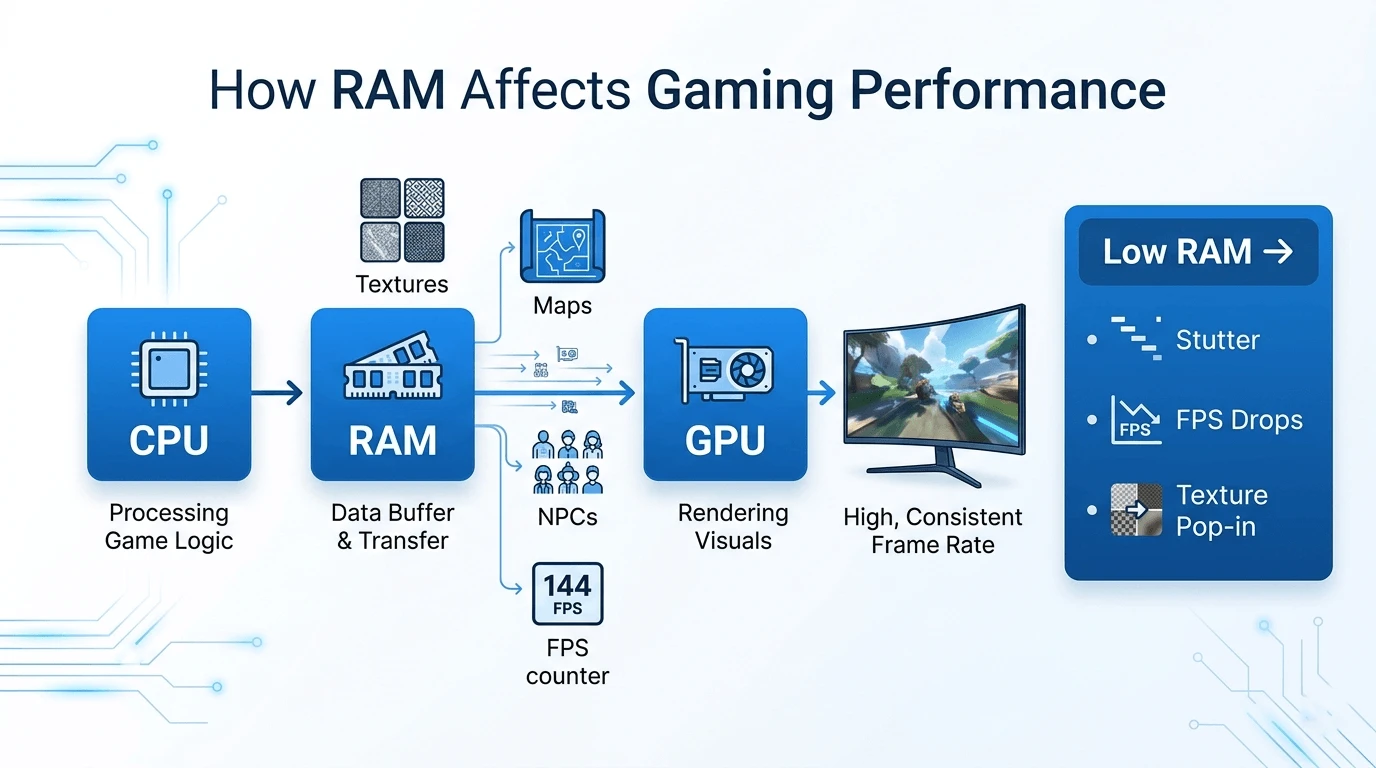
RAM (Random Access Memory) acts as your PC’s short-term memory. While gaming, it temporarily stores active game data such as:
- Textures
- Maps
- NPC information
- Audio assets
- Physics calculations
- Shader cache data
When you launch a game, the CPU constantly requests data from RAM. The RAM delivers that data quickly so the GPU can render frames smoothly.
The process looks like this:
CPU → RAM → GPU → Display
If your RAM is too slow or too small, the system starts using your SSD or HDD as backup memory. Storage drives are much slower than RAM, which can lead to:
- FPS drops
- Stuttering
- Texture pop-in
- Longer loading times
- Frame-time spikes
This is why people often notice sudden performance issues in open-world games even with a decent GPU.
How RAM Affects Overall Computer Performance Beyond Gaming
RAM also impacts overall computer responsiveness. Modern gamers rarely run only a game. Most players also keep applications open like:
- Discord
- Chrome
- OBS Studio
- Spotify
- Game launchers
All of these consume memory.
If your system runs out of available RAM, Windows begins swapping data between RAM and storage. That process slows down the entire PC and can negatively affect gaming performance.
This explains why low RAM systems often feel sluggish during multitasking.
Does RAM Affect FPS? The Direct Answer
Does RAM Directly Increase FPS in Games?
Yes — but only if RAM is currently your bottleneck.
If your GPU is already maxed out at 99% usage, adding more RAM usually won’t increase FPS. However, RAM upgrades can help significantly when:
- You only have 8GB RAM
- You use integrated graphics
- You play heavily modded games
- You stream while gaming
- You play open-world titles with heavy asset streaming
Games like Hogwarts Legacy, Star Citizen, and Microsoft Flight Simulator can use enormous amounts of memory. Games like Hogwarts Legacy, Star Citizen, and Microsoft Flight Simulator can use enormous amounts of memory. If you play demanding open-world RPGs, check out our detailed Is Hogwarts Legacy Good? (Honest Review, Gameplay & Worth It Guide) to see how modern AAA games push RAM usage higher.
In those cases, more RAM improves:
- Average FPS
- 1% lows
- Frame stability
- Overall smoothness
Does RAM Speed (MHz / Frequency) Affect FPS?
RAM speed absolutely matters.
Faster RAM allows the CPU to access game data more quickly. This reduces latency and improves data throughput.
The FPS difference is most noticeable in:
- CPU-heavy esports games
- AMD Ryzen systems
- Integrated GPU setups (APUs)
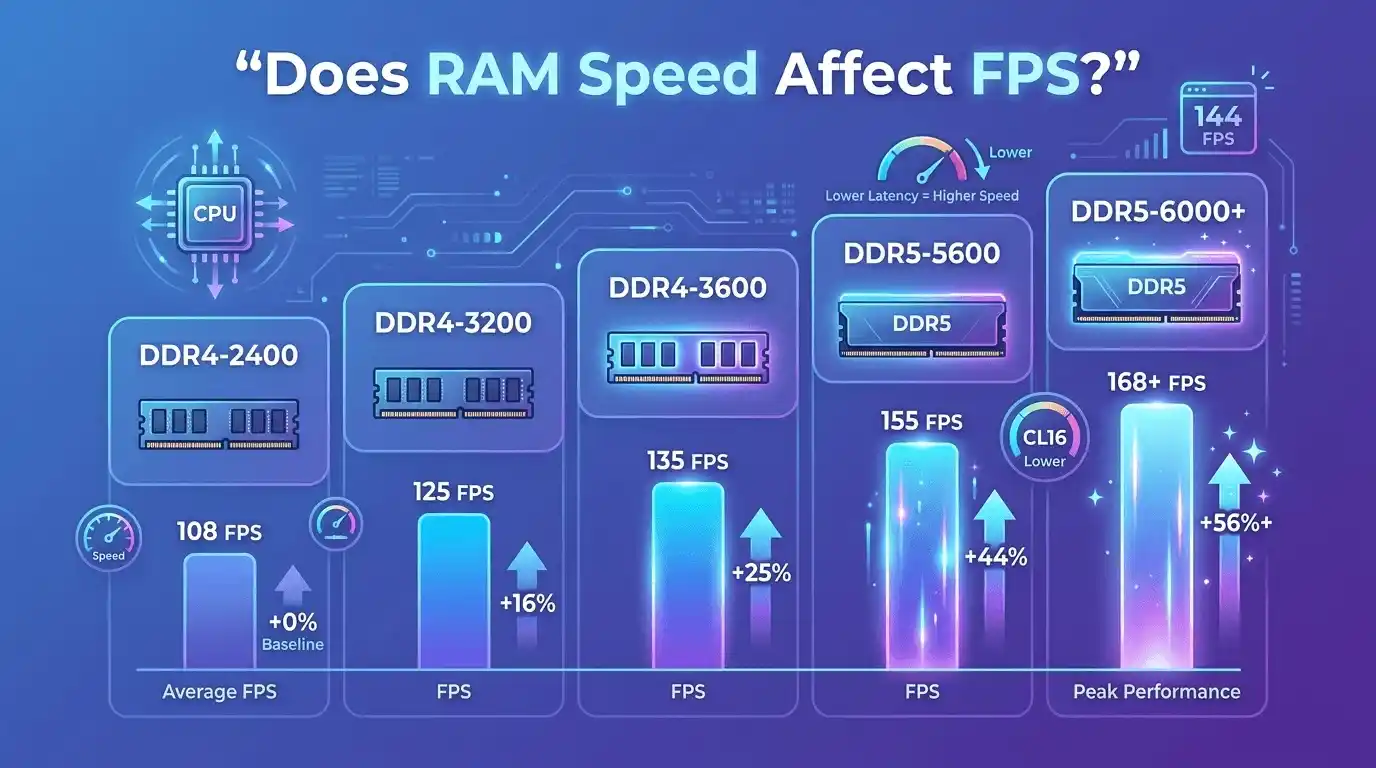
For example, upgrading from DDR4-2400 to DDR4-3600 can noticeably improve FPS in titles like:
- Fortnite
- Valorant
- CS2
- Warzone
Especially at 1080p low settings where the CPU becomes the limiting factor.
RAM Capacity and Speed FPS Benchmark Data
FPS Impact — 8GB vs 16GB vs 32GB RAM Comparison Table
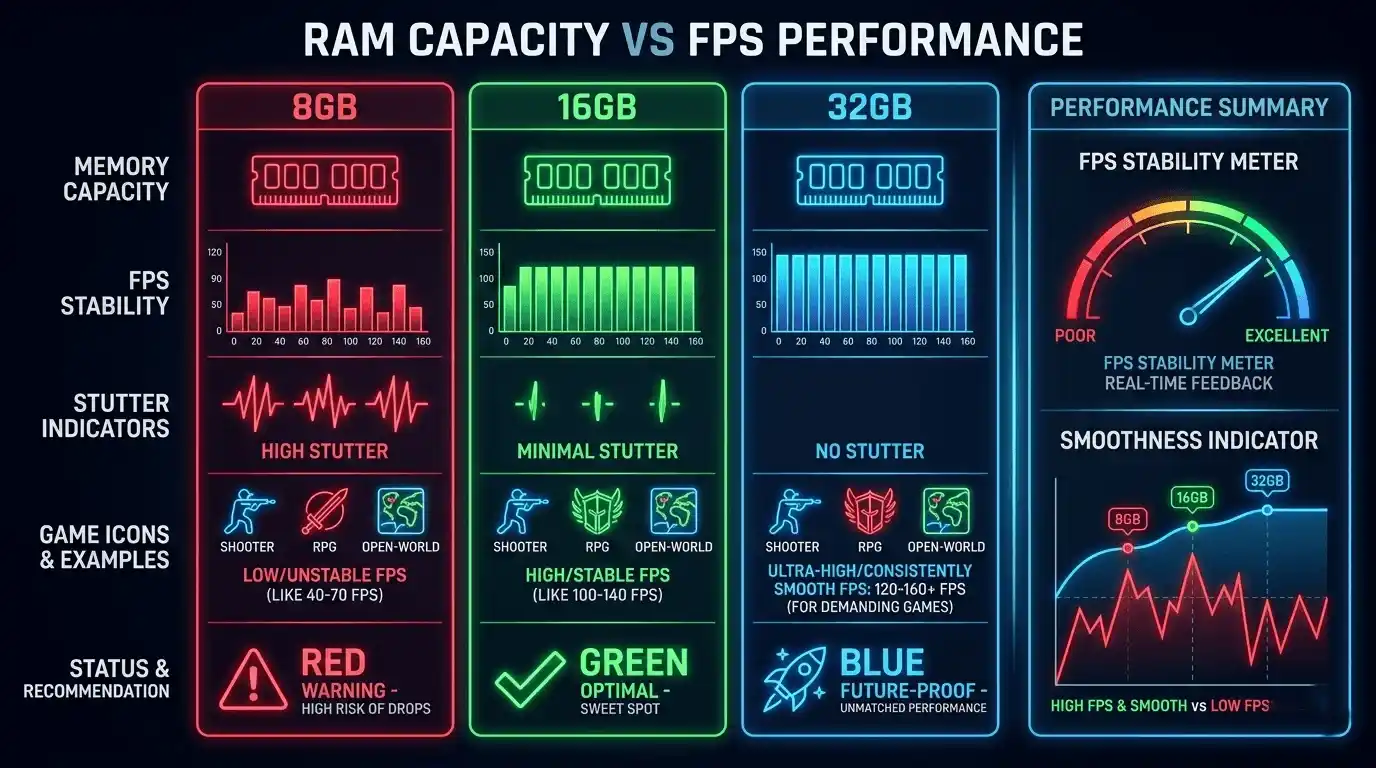
| RAM Capacity | 1080p FPS Impact | 1440p FPS Impact | 4K FPS Impact | Recommended For |
| 8GB | Major bottleneck in modern titles | Bottleneck | Bottleneck | Older/light games |
| 16GB | Sweet spot with stable FPS | Optimal | GPU-limited | Most gamers |
| 32GB | Small gains in demanding games | Marginal gain | GPU-limited | Gaming + multitasking |
| 64GB | No gaming benefit | No benefit | No benefit | Workstations |
For most gamers in 2025, 16GB RAM remains the ideal balance between performance and price.
FPS Impact — RAM Speed Comparison Table
| RAM Speed | Type | Avg FPS Gain vs Baseline | Best Use Case |
| DDR4-2400 | DDR4 | Baseline | Budget PCs |
| DDR4-3200 | DDR4 | +5–8% FPS | Mainstream gaming |
| DDR4-3600 | DDR4 | +8–12% FPS | High-refresh gaming |
| DDR5-5600 | DDR5 | +10–18% FPS | Modern platforms |
| DDR5-6000+ | DDR5 | +15–22% FPS | Ryzen enthusiast builds |
RAM speed improvements become increasingly important at lower resolutions like 1080p because the CPU processes more frames per second.
How RAM Affects FPS in Specific Games
Does RAM Affect FPS in Fortnite?
Yes. Fortnite benefits noticeably from faster and larger RAM configurations. Competitive Fortnite players often try to maximize FPS through RAM optimization, lower latency, and CPU tuning. If you want to estimate your actual performance, read our What FPS Can I Get on My PC? performance guide.
Typical RAM usage in Fortnite:
- Low settings: 6–8GB
- Medium settings: 8–10GB
- Epic settings: 10–14GB
An 8GB system often experiences stutters during late-game fights or large map transitions. Upgrading to 16GB significantly improves frame consistency.
Competitive Fortnite players also benefit from faster RAM speeds because Fortnite is CPU-sensitive.
Does More RAM Increase FPS in Minecraft?
Minecraft is heavily RAM-dependent, especially the Java Edition. Modded Minecraft can become extremely demanding on both RAM and CPU resources. If you are unsure whether your system can handle heavy modpacks smoothly, check our How Much FPS Can My PC Handle? guide.
Vanilla Minecraft usually runs fine with 8GB system RAM. However, modded Minecraft can consume enormous memory pools.
Large modpacks like:
- RLcraft
- All The Mods
- Better Minecraft
often require 16GB+ system RAM for smooth gameplay.
You can also allocate more RAM directly through the Minecraft Launcher, which improves chunk loading and reduces stutters.
Does RAM Affect Gaming on Mobile?
Mobile gaming works differently because phone RAM is shared between:
- The operating system
- Background apps
- GPU rendering
- Active games
More RAM on mobile devices mainly improves:
- Multitasking
- App retention
- Background processing
The actual FPS increase is usually small compared to PC gaming, but larger RAM capacities can improve FPS stability in demanding mobile games.
Check Your Exact Expected FPS — FPS Calculator Tool
Calculate Your Expected FPS Based on Your RAM and GPU
Instead of guessing how much RAM affects your FPS, you can use the Prime Games Arena FPS Calculator to estimate your expected performance based on your exact GPU, CPU, and RAM setup. It’s especially useful if you want to know whether upgrading RAM will actually improve your FPS before spending money.
How Much Does RAM Matter for Gaming? — Honest Verdict
When RAM IS the Bottleneck (High FPS Impact)
Modern open-world titles like Cyberpunk 2077 are excellent examples of games that benefit from faster RAM and higher memory capacity. You can read our full Is Cyberpunk 2077 Worth It in 2025/2026? guide for deeper performance insights.
RAM matters a lot when:
- You only have 8GB RAM
- You use integrated graphics
- You multitask heavily
- You play open-world games
- You use texture mods or reshade packs
Common symptoms include:
- Stuttering
- FPS drops
- Hitching
- Long load times
- Poor 1% lows
When RAM Is NOT the Bottleneck (Low FPS Impact)
RAM becomes far less important when:
- You already have 16GB+
- You use a dedicated GPU
- Your GPU is fully utilized
- You game mostly at 1440p or 4K
At higher resolutions, the GPU usually becomes the primary performance limit.
Is Higher RAM Always Better for Gaming?
Not necessarily.
- 8GB → 16GB: Huge improvement
- 16GB → 32GB: Small improvement
- 32GB → 64GB: Almost no gaming benefit
More RAM only helps if games actually need it.
How RAM Increases Gaming Performance — Technical Deep Dive
Dual-Channel vs Single-Channel RAM — FPS Impact
Dual-channel RAM can dramatically improve gaming performance.
With single-channel RAM, the CPU accesses memory using one communication lane. Dual-channel allows two simultaneous lanes, effectively doubling bandwidth.
In some games, dual-channel RAM improves FPS by:
- 10–20% on APUs
- 5–10% on dedicated GPU systems
To enable dual-channel:
- Install matching RAM sticks
- Use motherboard slots A2 + B2
XMP and EXPO Profiles — The Easiest Free FPS Boost
Most RAM kits run below their advertised speeds by default.
Enabling:
- XMP on Intel systems
- EXPO on AMD systems
allows RAM to run at its rated speed.
This can deliver free FPS gains without buying new hardware.
Typical improvements:
- +5–12% FPS in CPU-heavy games
- Better frame consistency
- Reduced latency
RAM Timings (Latency) vs Speed — Which Affects FPS More?
RAM speed affects throughput, while timings affect responsiveness.
For gaming, speed matters more overall. However, lower latency timings can still help in esports titles where every frame matters.
Example:
- DDR4-3600 CL16 performs better than DDR4-3600 CL18
But the difference is usually minor compared to increasing frequency.
Benefits of More RAM for Gaming — Full Summary
What You Actually Gain with More RAM
More RAM provides several real-world benefits:
- Fewer stutters
- Better frame pacing
- Improved 1% lows
- Faster texture loading
- Smoother multitasking
- Better streaming performance
Games that particularly benefit include:
- Hogwarts Legacy
- Star Citizen
- Microsoft Flight Simulator
- Escape from Tarkov
Does More RAM Increase Overall PC Performance?
Yes. RAM also improves:
- Video editing
- Streaming
- Rendering
- Web browsing
- Virtual machines
- Game recording
Modern workflows benefit heavily from larger memory pools.
Tips to Improve FPS Through RAM Optimization
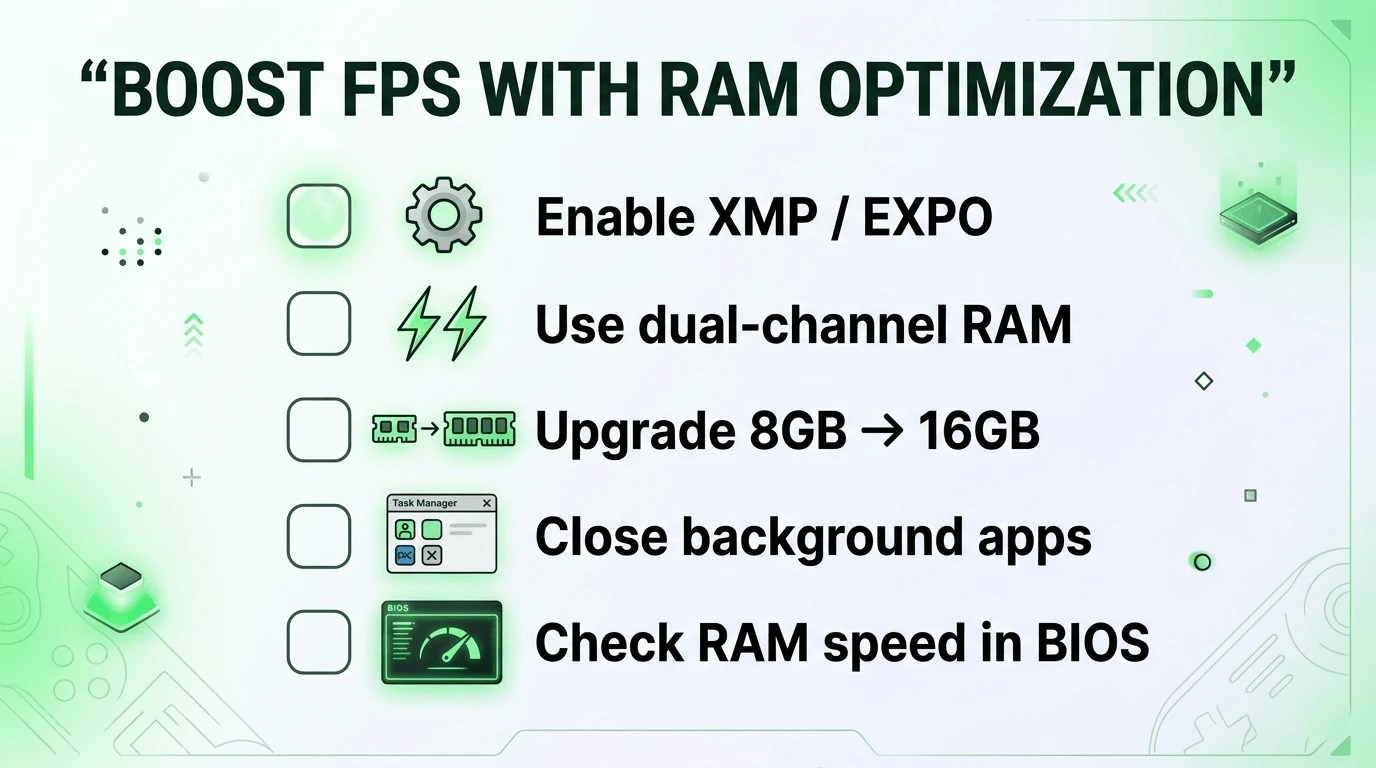
RAM Optimization Checklist for Gamers
Use this checklist for maximum performance:
- Enable XMP or EXPO
- Use dual-channel RAM
- Verify RAM speed in Task Manager
- Close background applications
- Upgrade from 8GB to 16GB
- Use compatible RAM kits
- Update motherboard BIOS if needed
Common RAM Mistakes That Hurt FPS
Avoid these common issues:
- Running single-channel RAM
- Forgetting to enable XMP
- Mixing mismatched RAM kits
- Overallocating RAM to Minecraft
- Buying excessive capacity instead of faster RAM
These mistakes can reduce FPS more than many gamers realize.
🎯 Calculate Your Exact FPS — Prime Games Arena FPS Calculator
Stop Guessing — Know Exactly What FPS You’ll Get
The Prime Games Arena FPS Calculator helps you estimate expected FPS based on your exact GPU, CPU, and RAM configuration. It’s useful for gamers planning upgrades who want realistic performance expectations before buying new hardware.
Instead of spending hours comparing YouTube benchmarks or Reddit threads, the calculator gives you a faster way to estimate gaming performance for your setup.
Whether you’re upgrading from 8GB to 16GB RAM or building a completely new PC, the tool helps identify whether RAM will actually improve your FPS.
👉 Try the Prime Games Arena FPS Calculator here: https://primegamesarena.com/fps-calculator-for-low-end-pc/
Conclusion — Does RAM Affect FPS in Games?
Yes, RAM affects FPS in games — but the impact depends entirely on your current bottleneck. Upcoming AAA games are becoming increasingly memory-intensive, especially open-world titles with advanced streaming systems. If you’re planning future upgrades, our Will GTA 6 Run on RTX 3060? performance guide may also help.
For most gamers, upgrading from 8GB to 16GB delivers the biggest improvement in stability and smoothness. Faster RAM speeds, dual-channel configurations, and enabling XMP or EXPO can also provide measurable FPS gains, especially in CPU-heavy titles.
The key takeaways are simple:
- 16GB is the current gaming sweet spot
- Dual-channel RAM matters
- RAM speed affects CPU-bound games
- XMP/EXPO provides free performance
- More than 32GB offers little gaming benefit
Before upgrading, identify whether RAM is truly limiting your performance. Using the Prime Games Arena FPS Calculator is one of the easiest ways to estimate how much FPS improvement you can realistically expect from a RAM upgrade.






One Response