Introduction — Can You Really Play PS3 Games on PC?
If you’re wondering what emulator is best for PS3 games on PC, the short answer is simple: RPCS3 is currently the best PS3 emulator available in 2025. It offers the highest compatibility, the most active development, and the best overall performance for playing PlayStation 3 games on modern hardware. If you’re unsure whether your system is powerful enough for PS3 emulation, our guides on What FPS Can I Get on My PC? — How to Check, Estimate & Boost Your Frame Rate and How Much FPS Can My PC Handle? can help you estimate expected performance before installing RPCS3.
However, performance can vary significantly depending on your CPU, GPU, emulator settings, and the specific game you’re trying to run. Some titles can achieve a locked 60 FPS, while others remain demanding even on high-end PCs.
This guide covers the best PS3 emulator for PC, how PS3 emulation works, setup requirements, expected FPS performance, compatibility, and how to estimate your frame rate before spending time configuring everything.
What Is PS3 Emulation and How Does It Work?
How PS3 Emulators Translate Console Code to PC
A PS3 emulator recreates the PlayStation 3 environment on a computer, allowing PC hardware to run games originally designed for Sony’s console.
Unlike older consoles, the PS3 used the unique Cell Broadband Engine processor. This architecture is very different from modern x86 CPUs used in gaming PCs, making PS3 emulation far more complex than emulating systems like the PlayStation 2 or Nintendo Wii.
The PlayStation 3’s architecture was built around the Cell Broadband Engine, a processor co-developed by Sony, IBM, and Toshiba that remains one of the most complex gaming CPUs ever created.
Because of this complexity:
- PS3 emulation is heavily CPU-dependent
- Accurate emulation requires advanced code translation
- High frame rates demand strong single-core performance
- Only a handful of PS3 emulators have achieved meaningful progress
This is why most PS3 emulators for PC struggle with compatibility and performance.
Is PS3 Emulation Legal?
Emulation itself is generally legal in many regions. However, legality depends on how games and firmware are obtained.
Key points:
- Owning original games is recommended
- Downloading copyrighted PS3 ROMs from unauthorized sources may violate copyright laws
- RPCS3 requires official PlayStation 3 firmware
- Users should dump games from their own discs whenever possible
PS3 firmware and PS3 system software are necessary components for proper emulator functionality.
Best PS3 Emulator for PC in 2025 — Full Comparison
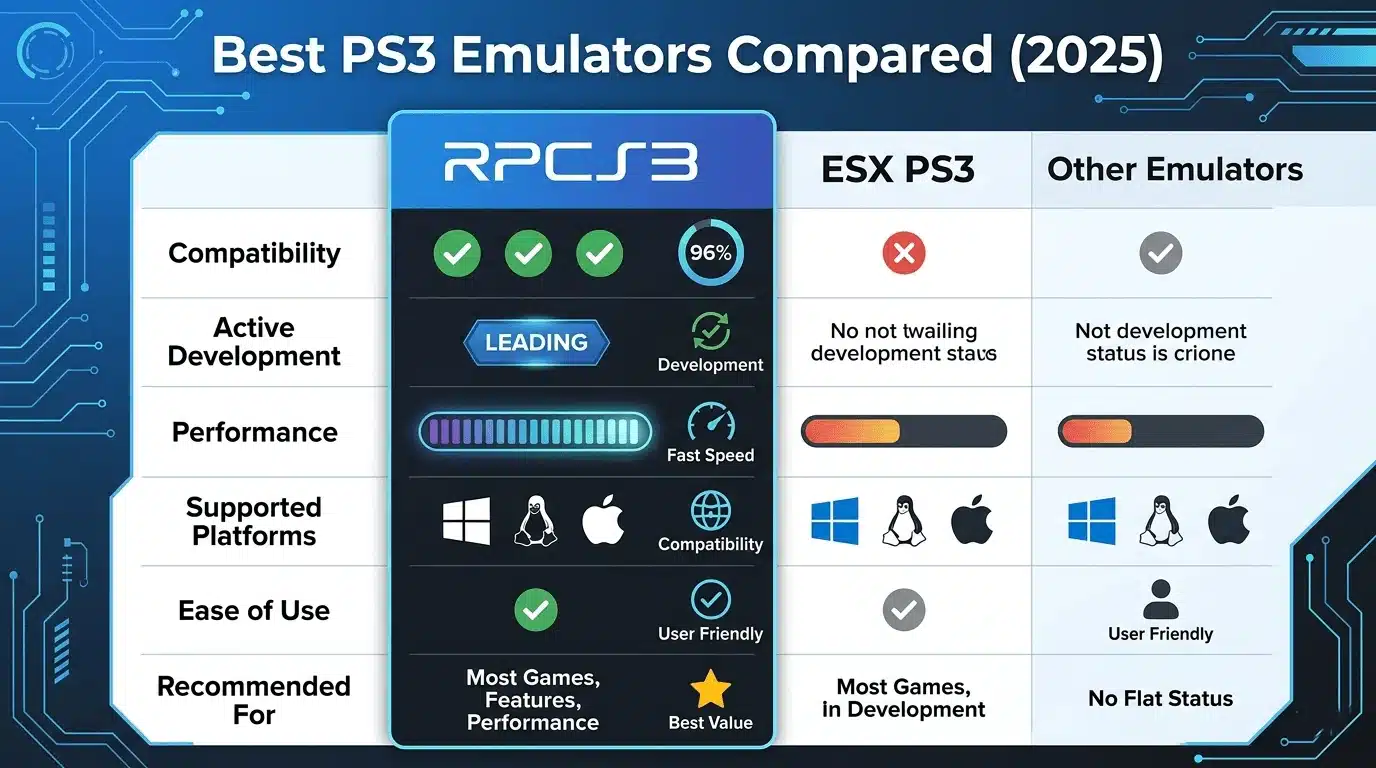
RPCS3 — The #1 PS3 Emulator for PC
RPCS3 is the undisputed leader in PS3 emulation.
Why it dominates:
- Open-source development
- Constant updates and optimization
- Thousands of playable games
- Excellent performance scaling
- Active community support
Supported platforms:
- Windows
- Linux
RPCS3 continues to improve game compatibility while delivering impressive FPS results on modern processors.
ESX PS3 Emulator — What You Need to Know
ESX PS3 Emulator is another project often mentioned online.
While it advertises PS3 emulation capabilities, it currently falls behind RPCS3 in several areas:
- Smaller development community
- Lower compatibility rates
- Less consistent performance
- Fewer documented success cases
For most users, RPCS3 remains the better option.
Other PS3 Emulators for PC Worth Mentioning
Several projects occasionally appear in discussions:
- ESX
- Older experimental PS3 emulators
- Community prototype projects
Most alternatives suffer from:
- Poor compatibility
- Limited development
- Incomplete feature sets
As a result, RPCS3 remains the only serious recommendation for most PC gamers.
PS3 Emulator Comparison Table
| Emulator | Platform | Compatibility | Active Development | Best For |
| RPCS3 | Windows/Linux | High (3,000+ games) | ✅ Yes | Most users |
| ESX PS3 | Windows | Low-Medium | ❌ Limited | Experimental testing |
| Others | PC | Very Low | ❌ No | Not recommended |
RPCS3 Setup Guide — How to Get Started
System Requirements for RPCS3
CPU performance is the most important factor for PS3 emulation. Because PS3 emulation relies heavily on processor performance, it’s worth reading What PC Parts Affect Gaming the Most? (Complete FPS Performance Guide) and How to Check If Your GPU Is Performing Well FPS & Health before upgrading your hardware.
Minimum Requirements
| Component | Recommendation |
| CPU | Intel i5-8400 / Ryzen 5 2600 |
| GPU | GTX 1050 Ti / RX 570 |
| RAM | 8GB |
| Storage | SSD Recommended |
Recommended Requirements
| Component | Recommendation |
| CPU | Ryzen 5 5600 / Intel i5-12600K |
| GPU | RTX 3060 / RX 6700 XT |
| RAM | 16GB |
| Storage | SSD |
How to Download and Install RPCS3
Basic installation process:
- Download RPCS3 from the official website.
- Extract the emulator files.
- Download official PS3 firmware.
- Install firmware through RPCS3.
- Add your game backups.
- Configure graphics settings.
- Launch and test performance.
PS3 Firmware Setup — Why It’s Mandatory
The firmware acts as the operating environment expected by PS3 games.
Without firmware:
- Games cannot boot correctly
- System functions are unavailable
- Compatibility suffers significantly
RPCS3 allows users to install official PlayStation 3 firmware through its built-in firmware installation menu.
Keeping firmware updated can improve compatibility and stability.
PS3 Game Performance on PC — What FPS Will You Get?
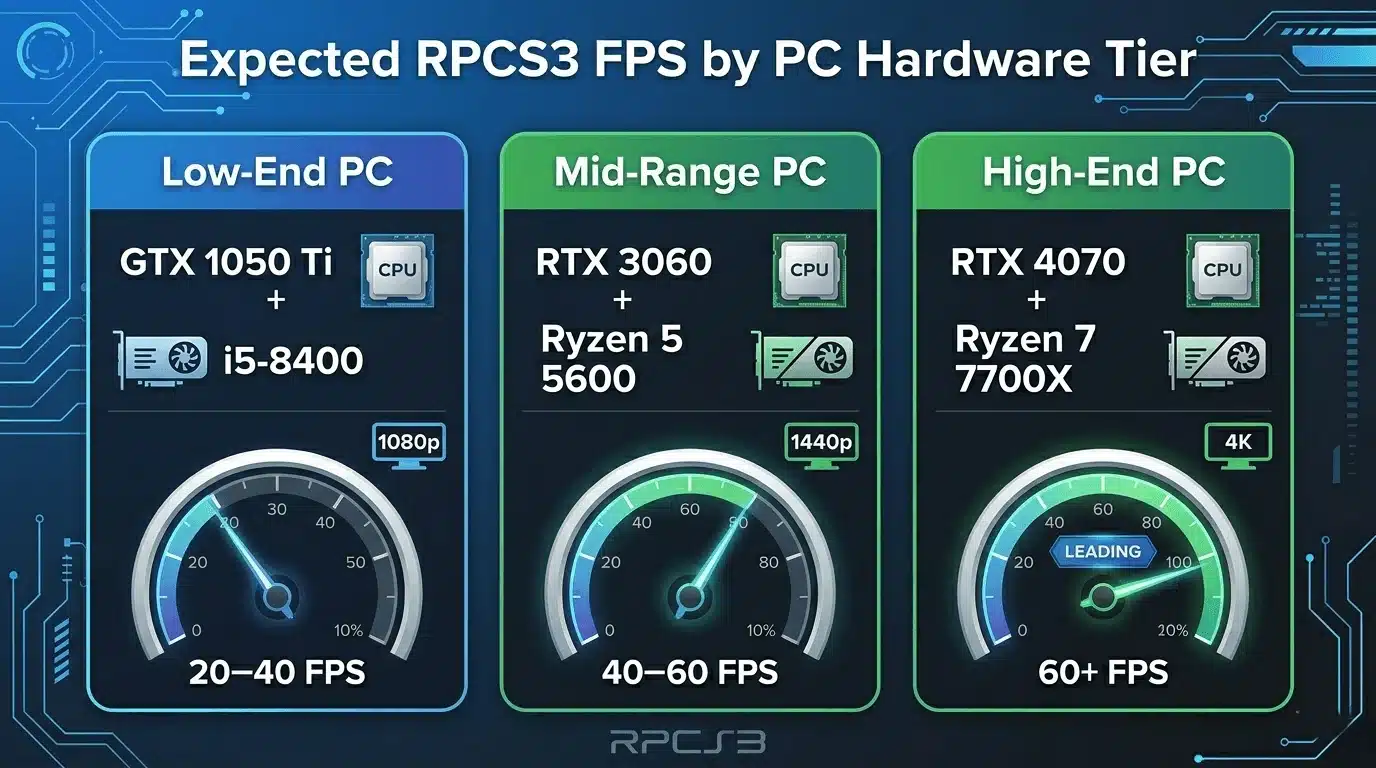
Performance Expectations by Hardware Tier
Actual FPS depends heavily on the game, but the following estimates represent realistic expectations.
| PC Tier | CPU Example | GPU Example | Expected FPS |
| Low-End | Intel i5-8400 | GTX 1050 Ti | 20–40 FPS |
| Mid-Range | Ryzen 5 5600 | RTX 3060 | 40–60 FPS |
| High-End | Ryzen 7 7700X | RTX 4070 | 60 FPS+ |
Example FPS Estimates
| Hardware | Resolution | Settings | Average FPS |
| GTX 1050 Ti + i5-8400 | 1080p | Native | 25–40 FPS |
| GTX 1660 Super + Ryzen 3600 | 1080p | Medium | 40–55 FPS |
| RTX 3060 + Ryzen 5600 | 1080p | High | 50–60 FPS |
| RTX 4070 + Ryzen 7700X | 1440p | High | 60+ FPS |
| RTX 5080 + Ryzen 9800X3D | 4K | High | 60+ FPS (many titles) |
Why PS3 Emulation Is CPU-Heavy
The Cell processor is notoriously difficult to emulate.
CPU-intensive tasks include:
- SPU emulation
- PPU translation
- Physics calculations
- Audio processing
Unlike modern PC games, upgrading the GPU alone may not dramatically improve performance. This is similar to many PC gaming scenarios where processor limitations become the primary bottleneck. For a deeper explanation, see Does RAM Affect FPS in Games? and SSD vs HDD for Gaming: Which Is Better in 2025?
Best RPCS3 Settings for Higher FPS
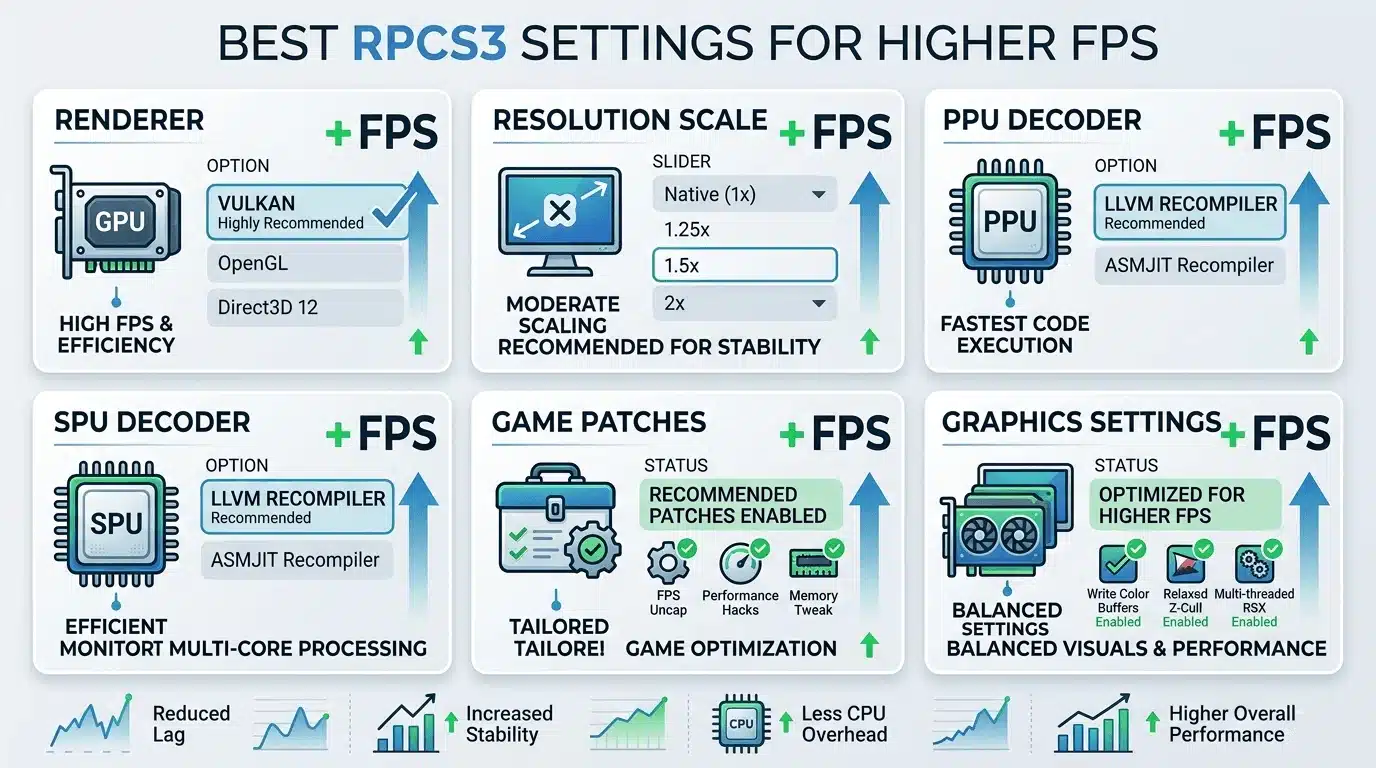
For better frame rates:
- Use Vulkan renderer whenever possible
- Keep resolution scaling reasonable
- Enable recommended game patches
- Avoid excessive upscaling on weaker GPUs
- Use LLVM recompilers for PPU and SPU
- Keep emulator updated
Many users see gains of 10–30% simply by switching from OpenGL to Vulkan. You can further improve system responsiveness by following our Optimize Windows 11 for Gaming FPS Boost Settings (2025) guide and learning What Does Low Latency Mode Do in NVIDIA Settings?
FPS Calculator Recommendation
Not sure what FPS your PC will hit on PS3 games?
Instead of manually estimating, you can use the FPS Calculator for Low-End PC at primegamesarena.com/fps-calculator-for-low-end-pc. It calculates your expected FPS based on your exact GPU and CPU specs, helping you understand likely performance before you even launch RPCS3.
PS3 Games That Run Best on RPCS3
Top Compatible PS3 Games for Emulator (Playable List)
Many popular titles now run extremely well through RPCS3.
Highly compatible games include:
- God of War Collection
- God of War III
- The Last of Us
- Red Dead Redemption
- Demon’s Souls
- Uncharted Series
- Persona 5
- Gran Turismo 5
- Metal Gear Solid 4
- Journey
Compatibility continues to improve with every major RPCS3 update. Several of these classics remain worth playing today, including titles featured in our Is God of War 3 Good? 2026 Honest Review & Verdict and Best Uncharted Games Ranked: Ultimate Top 5 Full Guide articles.
PS3 ROMs and Game Sources — What to Know
RPCS3 supports multiple formats:
- ISO files
- PKG packages
- Folder-based game dumps
For legal and compatibility reasons:
- Use your own game dumps
- Avoid unofficial downloads
- Verify file integrity before installation
RPCS3 also supports various homebrew applications and freely available demos.
PS3 Emulator for Android — Is It Possible?
Current State of PS3 Emulation on Android
Many users search for a PS3 emulator for Android, but the reality is disappointing.
As of 2025:
- No stable PS3 emulator exists for Android
- Performance remains extremely limited
- Compatibility is poor
- Most projects are experimental
RPCS3 itself remains PC-only.
Apps Claiming to Be PS3 Emulator for Android — Avoid These
Many Android applications claim to run PS3 games.
Warning signs include:
- Unrealistic performance claims
- Fake gameplay screenshots
- Excessive advertisements
- Requests for unnecessary permissions
For Android gaming, PS2 emulation remains significantly more mature and practical.
Troubleshooting Common PS3 Emulator PC Issues
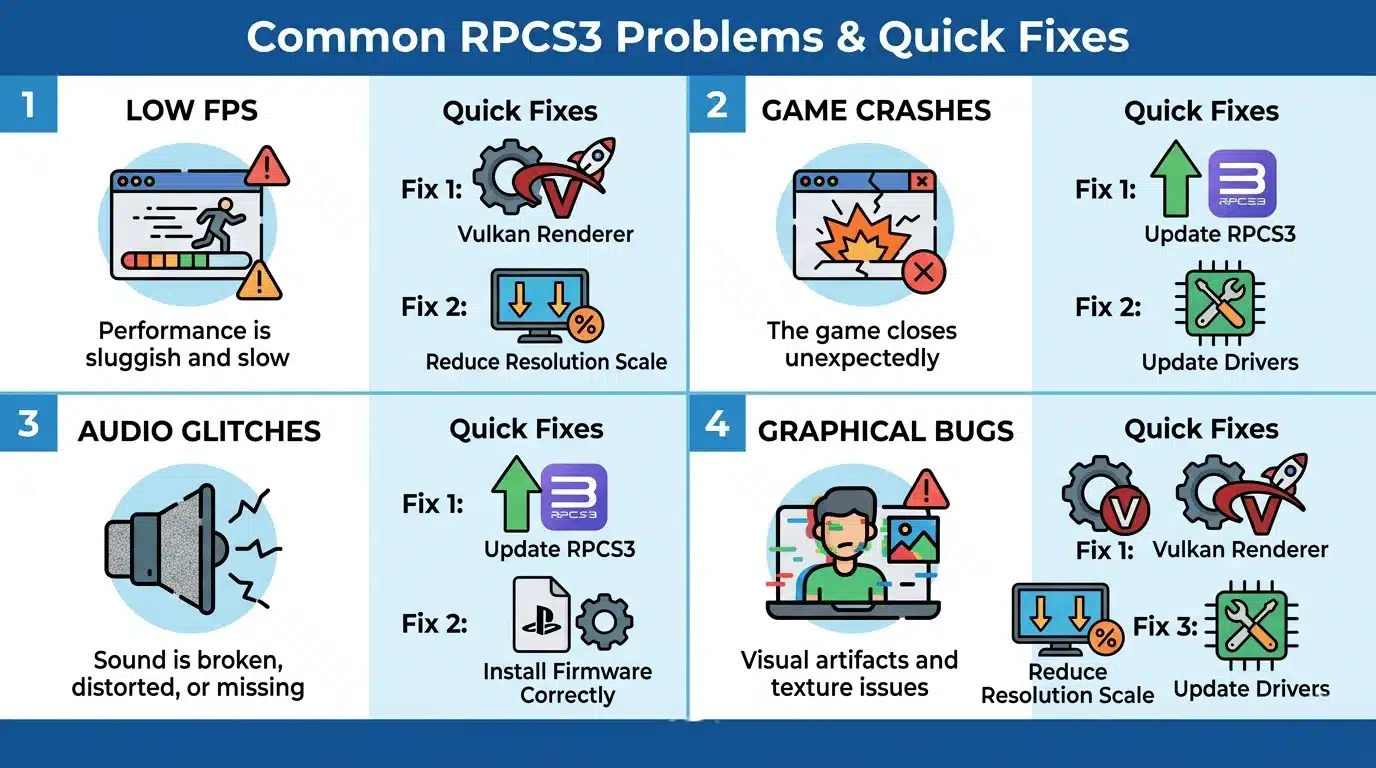
Low FPS and Stuttering in RPCS3
Common causes:
- Weak CPU
- Incorrect renderer
- Outdated emulator build
- Excessive resolution scaling
Quick fixes:
- Switch to Vulkan
- Reduce resolution scale
- Close background applications
- Update graphics drivers
Game Not Loading or Crashing
Potential reasons:
- Missing firmware
- Corrupted game files
- Unsupported game build
- Emulator configuration issues
Always verify compatibility status before troubleshooting extensively.
Audio Glitches and Graphical Bugs
Solutions include:
- Updating RPCS3
- Testing alternative settings
- Installing recommended patches
- Reviewing community compatibility reports
Many issues are already documented by the RPCS3 community.
Calculate Your Exact FPS with FPS Calculator for Low-End PC
Know Your PC’s Performance Before Launching RPCS3
The FPS Calculator for Low-End PC helps estimate expected frame rates based on your exact CPU and GPU combination. This is especially useful because PS3 emulation performance varies dramatically between systems and games. You may also find our Will GTA 6 Run on RTX 3060? FPS, Settings & Performance Guide useful if you’re comparing emulator performance against modern AAA gaming requirements.
Low-end and mid-range PC users can quickly determine whether their hardware is likely to deliver playable performance before spending time configuring RPCS3. It can also help identify potential CPU bottlenecks that may limit frame rates.
👉 Try the FPS Calculator for Low-End PC here: primegamesarena.com/fps-calculator-for-low-end-pc
Conclusion — Which PS3 Emulator for PC Should You Use?
Final Verdict
If you’re asking what emulator is best for PS3 games on PC, the answer is clear: RPCS3 is the best choice in 2025.
It offers:
- The highest compatibility
- The best performance
- Active development
- Strong community support
ESX PS3 Emulator remains experimental, while Android PS3 emulation is not yet practical for most users.
For the best experience, a modern mid-range CPU such as the Ryzen 5 5600 or better is highly recommended.
Quick Summary Table
| Goal | Recommended Action |
| Best PS3 emulator for PC | Use RPCS3 |
| PS3 firmware setup | Download official firmware |
| Check FPS before setup | Use FPS Calculator |
| PS3 on Android | Not viable yet |
| Find compatible games | Check RPCS3 compatibility database |
Before installing RPCS3, estimating your expected FPS is one of the smartest steps you can take. Knowing what performance your hardware can realistically deliver helps you choose the right settings and enjoy smoother PS3 emulation from day one.